yo tengo el fs2024 y vuelo el fslabs A321 estaba mirando y ni veo ese avion para comprar cual me tendria ke comprar para ke me sirva o sea compatible con fslabsA321 gracias
1 Like
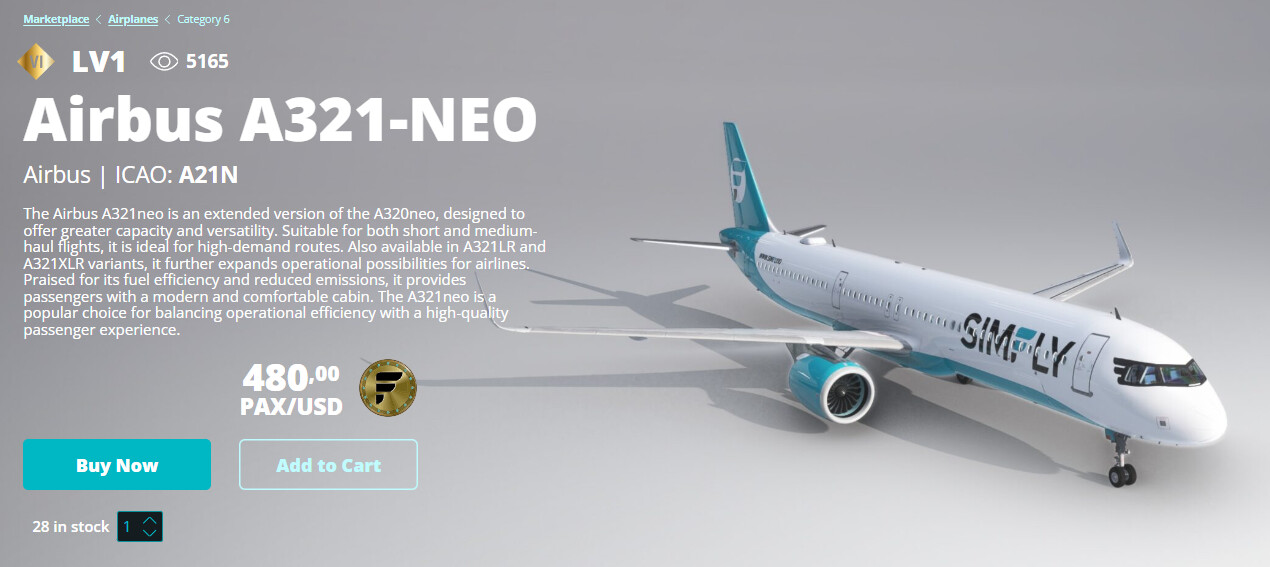
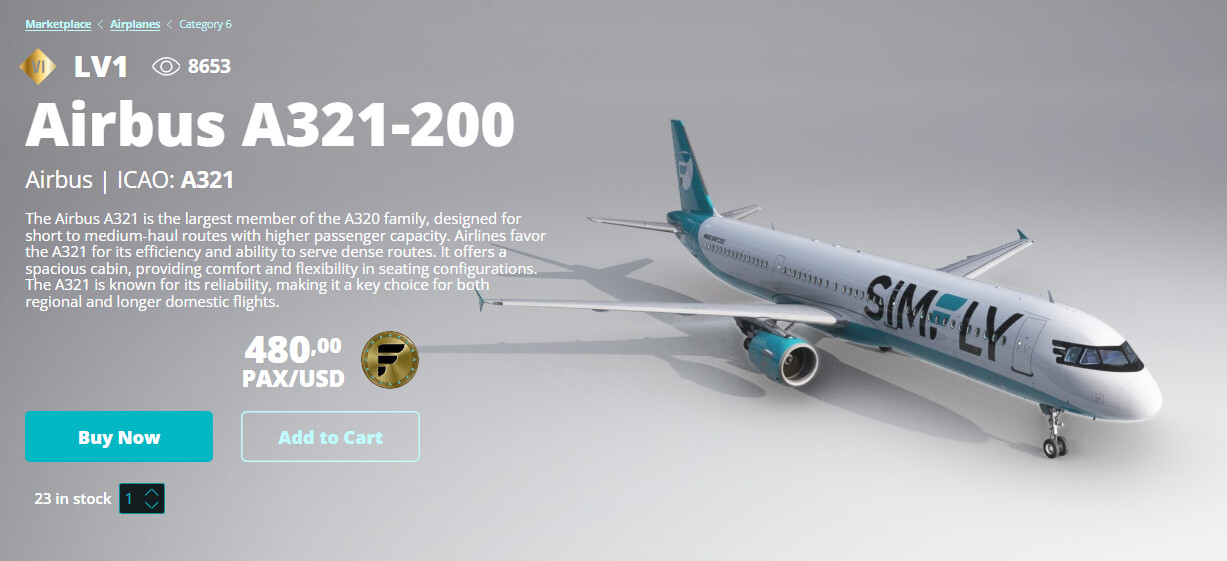
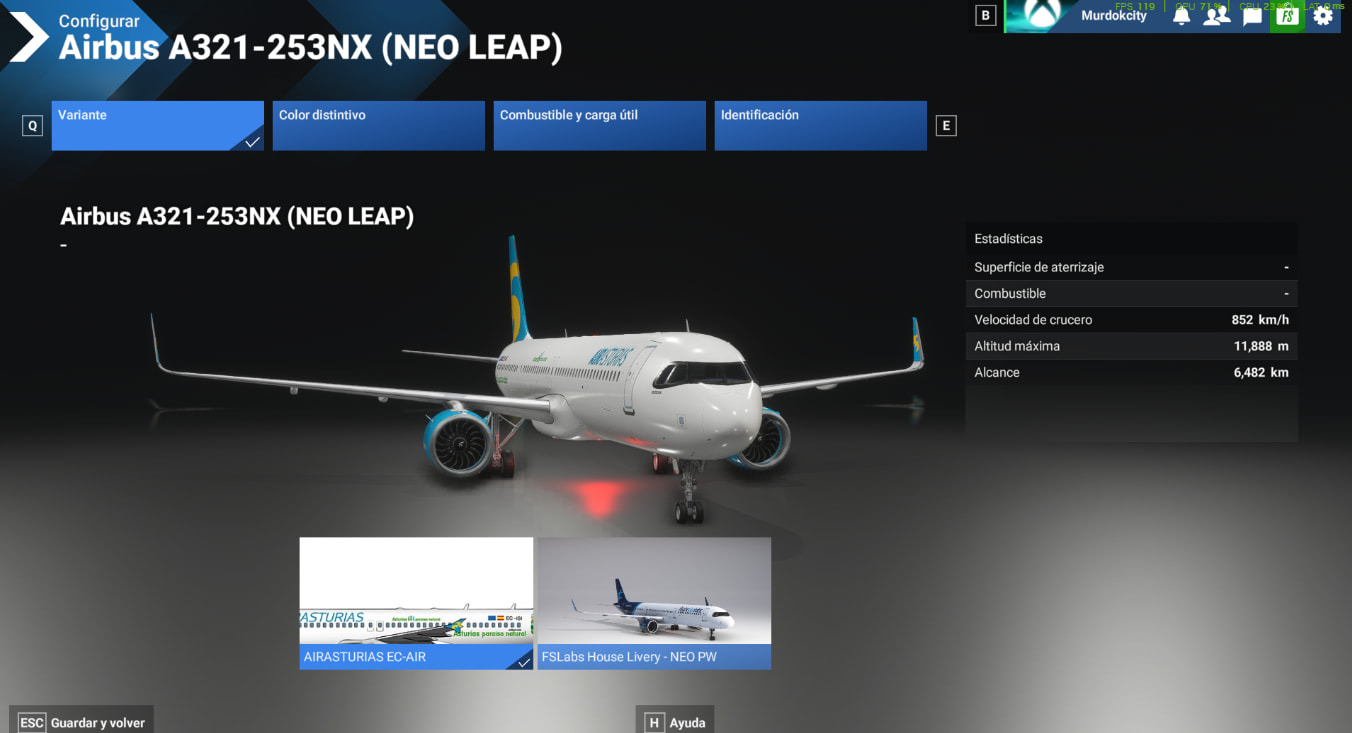
cuando pongo uno de esos dos aviones alquilados me dice que no es es mismo y mo deja hacer el vuelo gracias
I think you have the same problem as here : FlyByWire A388 Recognition
intente fslabs sin livery y no hubo manera aver si como he leido el otro comentario le subo la captura para ke me lo puedan incluir gracias
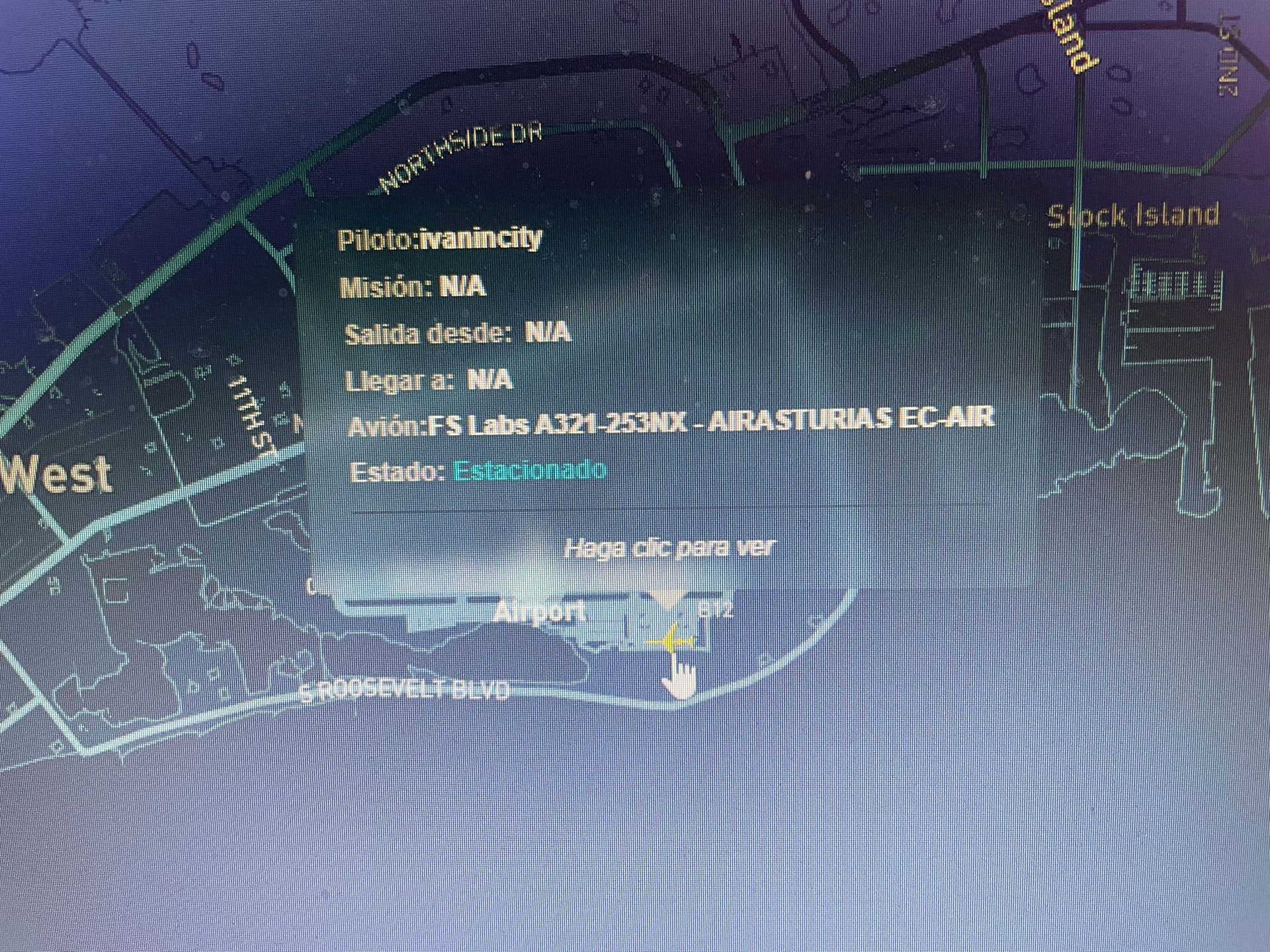
So this one with “A321” in the name was not recognized ?
Hola, creo que es por la livery que utilizas (A321-253NX) prueba con alguna de las que vienen en el FSLabs center (A321-251NX) para ver si te lo reconoce. Saludos,
he estado mirando los avines ke trae y son todos airbus A321-253NX por favor incrementen el avion para poder volarlo ya ke me costo vastante dinero comprarlo y es mi preferido gracias
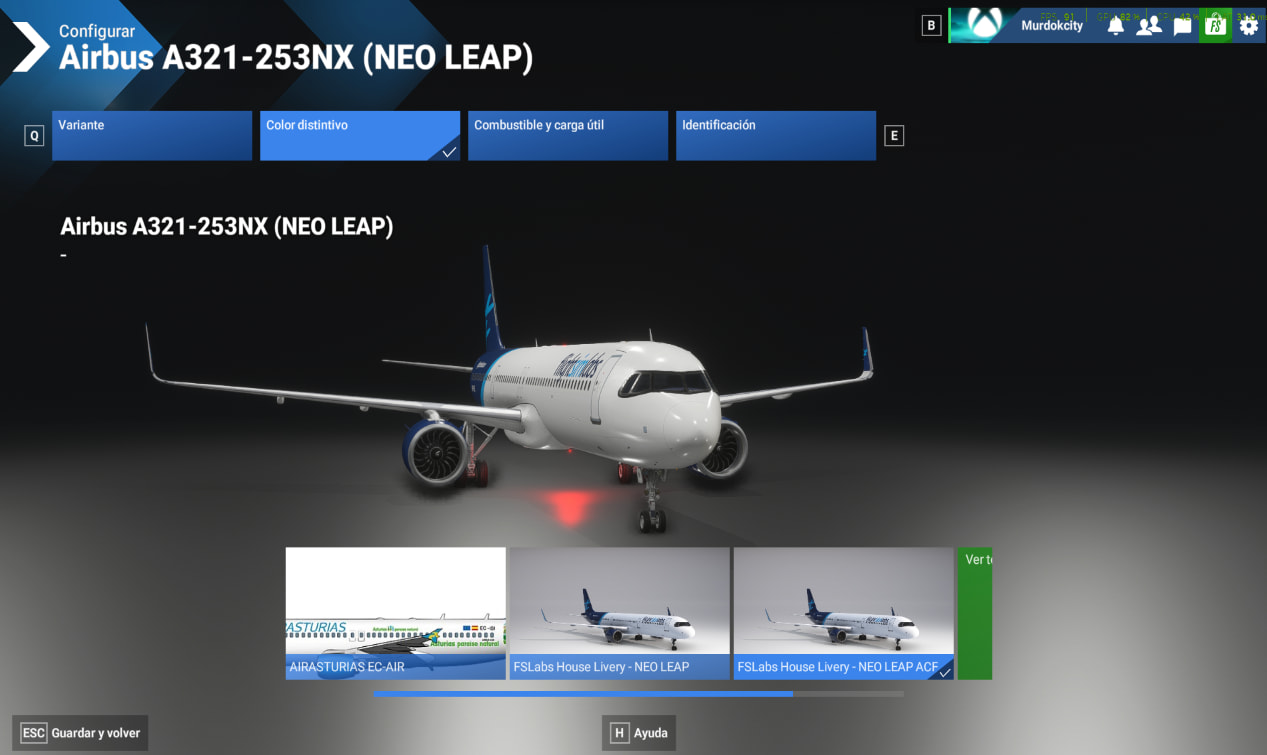
You may just need to rename the livery.
I made a try 2-3 month ago following the talk on A388, and I edited the livery name of my C172 as with “B77W” included in livery name.
Then simfly detected my C172 as a B777-300ER… (I didn’t fly with it, was pointless, but it works)
Hola, me refería al FSL Control Center: ahí puedes elegir qué pintura instalar en el simulador: yo tengo alguna de British del A321-251NX y me lo reconoce bien. Espero que te funcione!
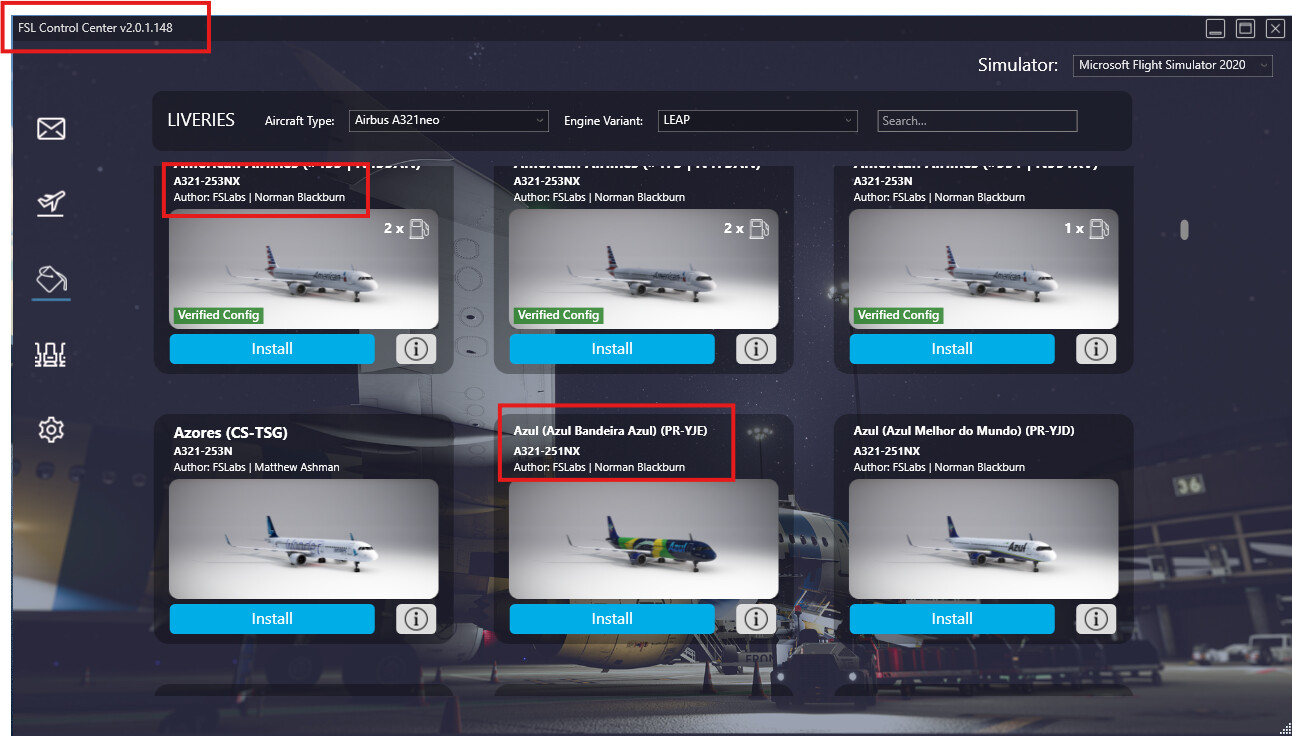
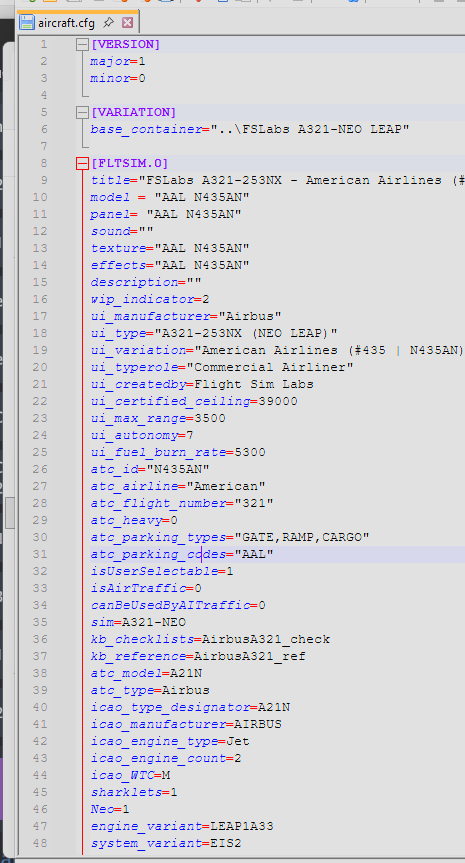
I was able to edit the FSLabs American Airlines livery config file and add A21N in the description and SimFly was able to detect the plane in the sim (MSFS 2024). Seems a little clunky, but it works.
2 Likes
I have to post an update on this issue.
Can someone please explain to me why you cannot use another, more appropriate field in the aircraft.cfg file to detect which plane is loaded in the sim?
It appears that for this fslabs a321 neo, every time you restart FSL Control Center or there is any update, the aircraft.cfg file for the livery is reset, so any edits you make to the description is wiped away and reset to default.
This is beyond frustrating especially since I spent $70 on the plane with the developer, I paid for the plane in simfly, and I have to go through all of this file editing gymnastics to be able to use the plane.
Can you not read the icao code from the aircraft.cfg file to determine which plane is loaded? Or, update your database for the A321 Neo to include the a321-253NX? There has to be a cleaner, simpler way.
The current workaround is not acceptable in my opinion given the amount of money I have invested in SimFly and for this plane. I just want the plane to work without having to edit files and hack my way through this.
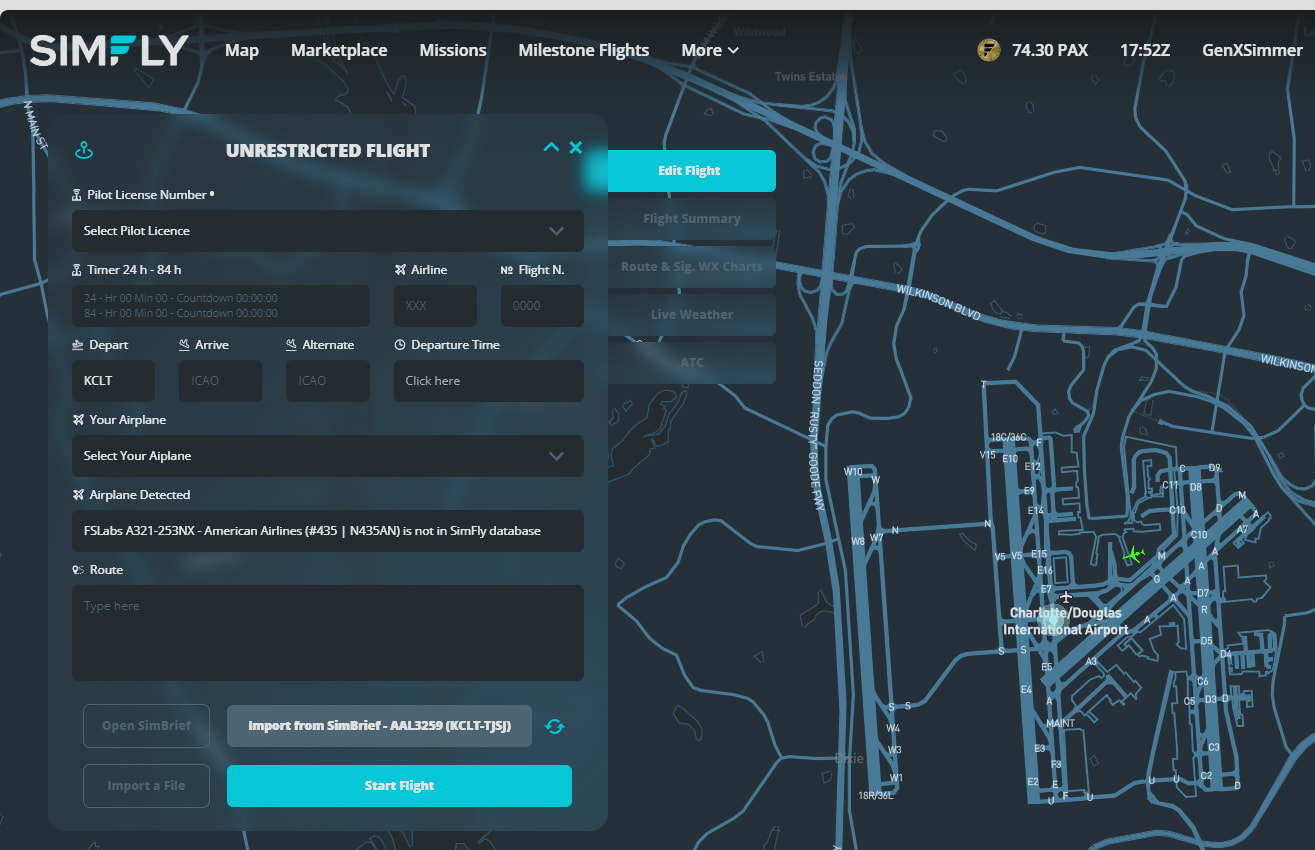
I think it’s planned to change that system with the futur client 1.3.0 that may be release soon, then you won’t need anymore this " editing gymnastics"
1 Like
If that is the case that is great news! Thanks.
hola muy buenas acaban de actualizar el fslabs y ahora pone poner A321-271N(NEO PW) y mi avion con mi livery tampoco la reconoce A321-253NX(NEO LEAP) tampoco deja cambiarle la matricula lo actualiza el programa de fslabs automatico
tampoco lo reconoce arreglen el problema y ke me he comprado el avion y no puedo volarlo gracias
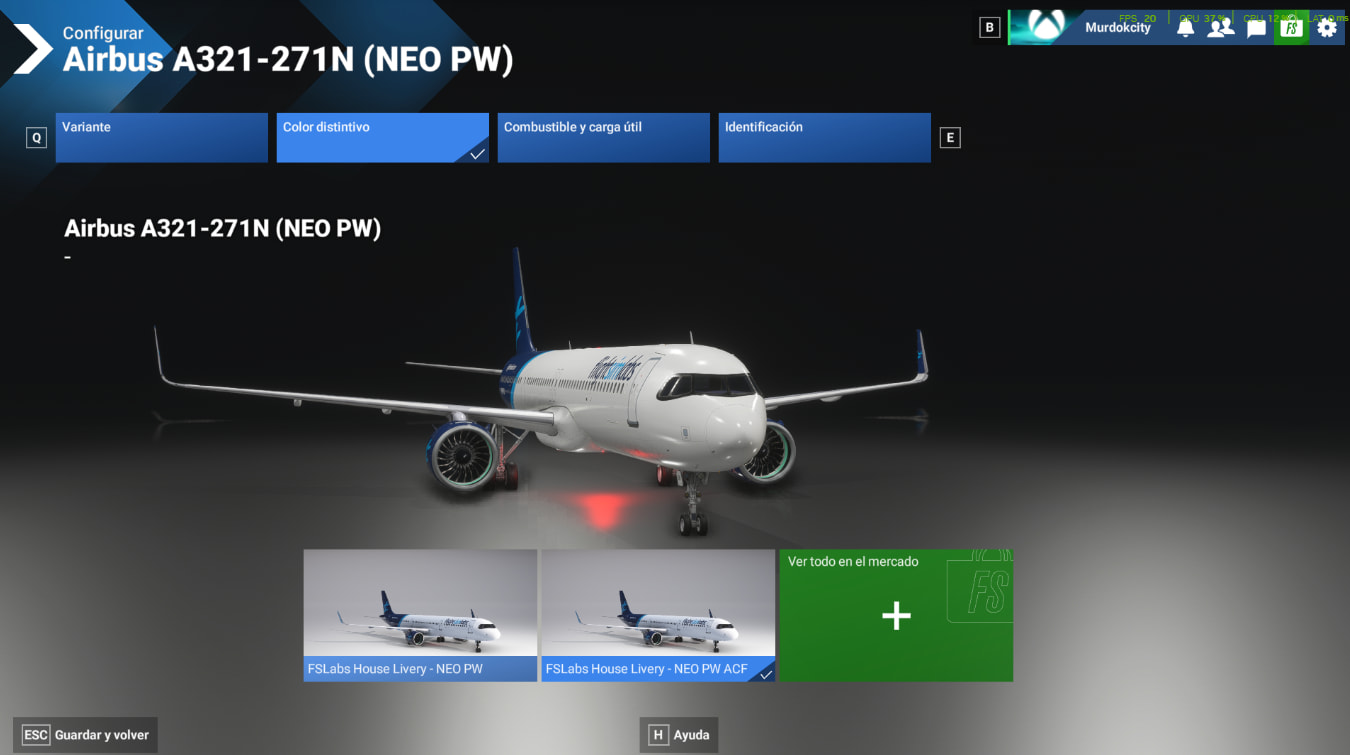
You can thy this: Does not recognize the plane - #4 by DeshMindER
2 Likes