Hello everyone,
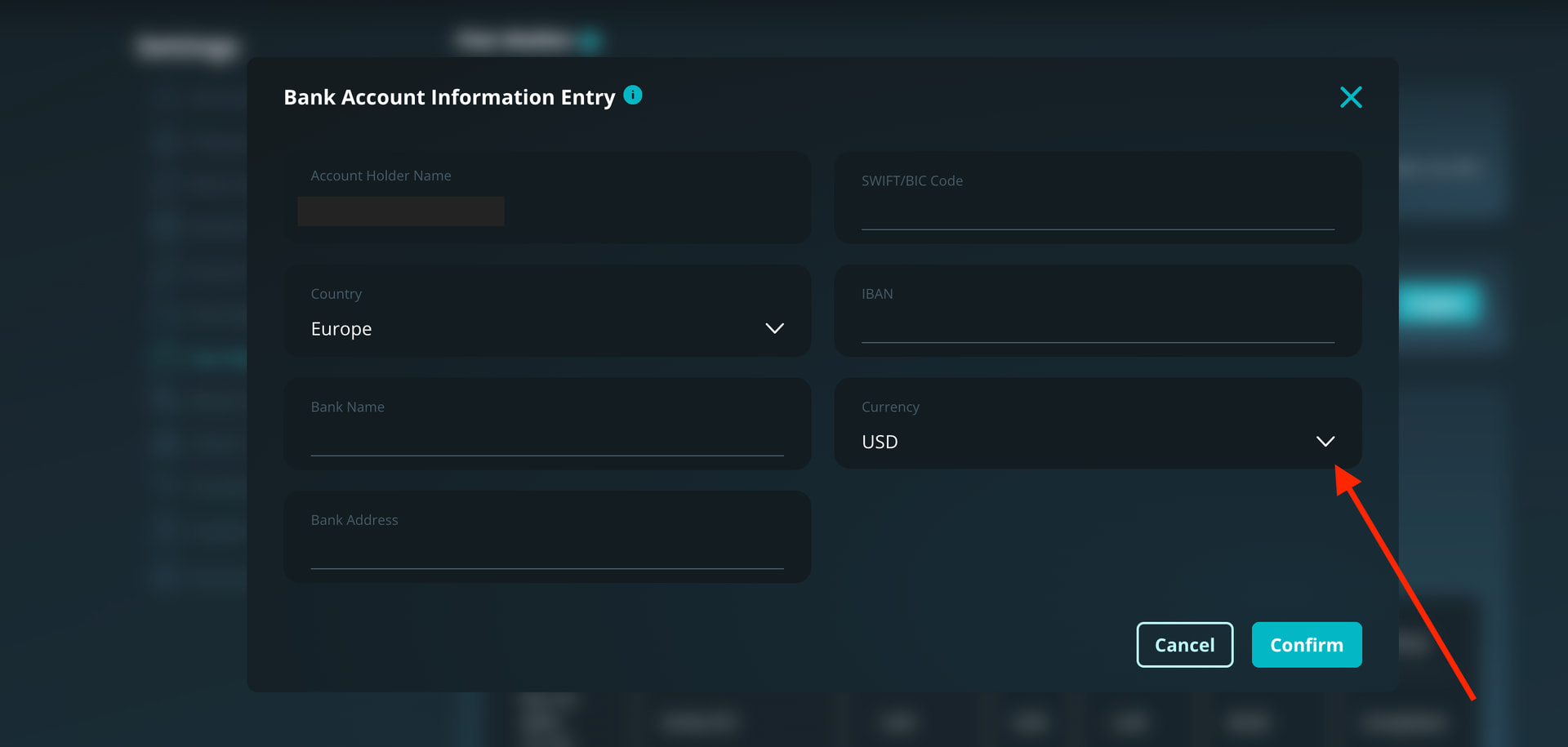
a very important reminder: you can select the currency of your bank account directly in the Fiat Wallet settings, under Bank & Currency.
This determines the currency in which your bank withdrawals will be sent.
 To avoid double conversions and extra fees from your bank, always select the currency that your bank account can receive without performing an additional conversion.
For example:
-
If your settings are set to USD, but your bank account only accepts EUR, we will send the withdrawal in USD.
-
In that case, your bank will automatically convert USD → EUR, resulting in a second conversion and therefore extra charges.
For this reason, it’s essential to set the correct currency that your bank can receive.
You can change it at any time by going to Fiat Wallet → Bank & Currency.
We will also show this feature in the next video and in the upcoming newsletter so everyone is aware of it.
 IMPORTANT:
If anyone has already submitted a bank withdrawal request and did not set the correct currency — and the request has not been processed yet — please contact support. We will update the currency before sending the transfer.
Thank you for your attention.