I’m sorry to have to report another glitch: on my profile, on the Active Assets page, all the data relating to aircraft has disappeared, meaning I can’t use or rent them, losing the ability to earn XP and PAX points. Honestly, all these inconveniences of the last few days are starting to get annoying. We know you’re working hard to resolve everything, but at this point, perhaps you should seriously consider awarding everyone, without distinction, a loyalty bonus (even if only symbolic) in XP and PAX once everything is back to normal. Thank you.
I am having the same issue. Was going to try and fly and none of my aircraft have aircraft data on the detail’s pages. They do on the Active Asset page, but once you click into the detail, all data is missing. Kinda frustrating.
1 Like
Yes, frustrating is an understatement! I’ve tried logging out and back in. I’ve tried changing three browsers. Nothing, it’s been like this for several hours now.
So, just to better understand the issue — you no longer see your aircraft under Active Assets, correct?
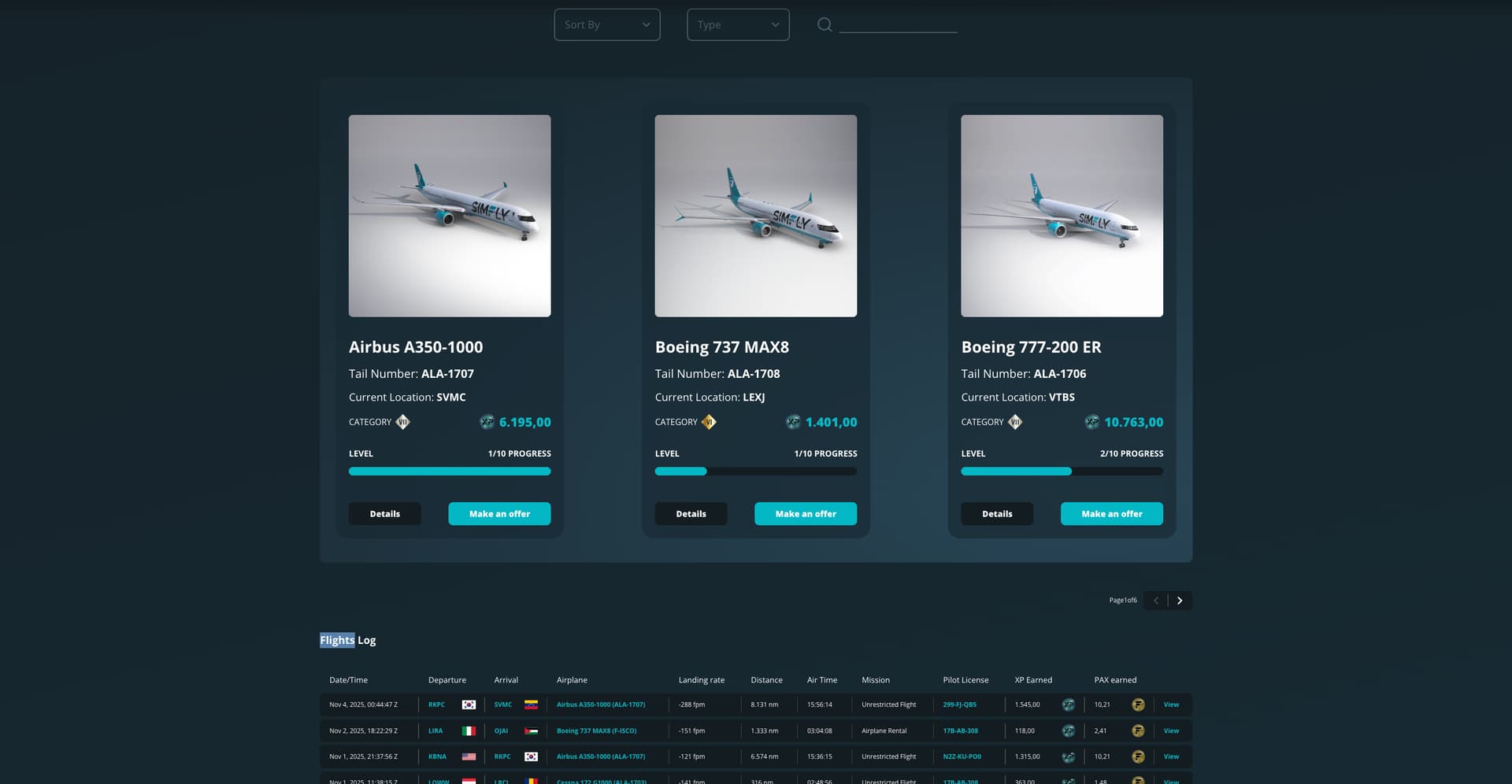
And do they also not appear in your Logbook?
1 Like
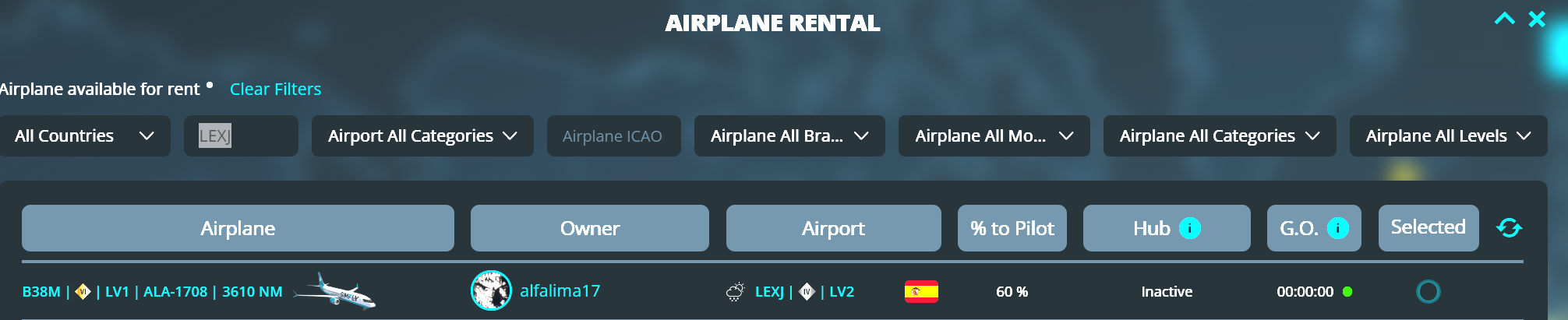
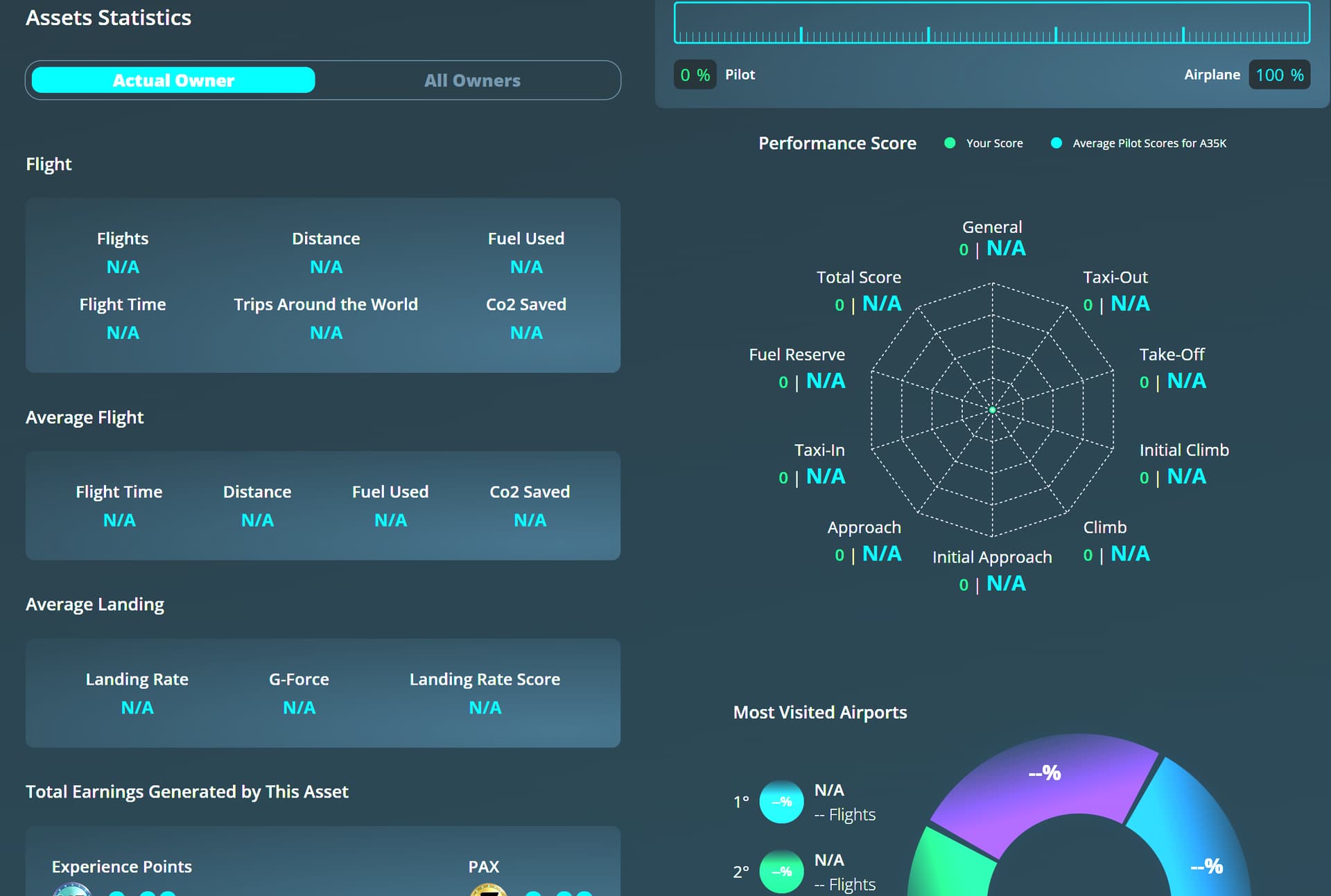
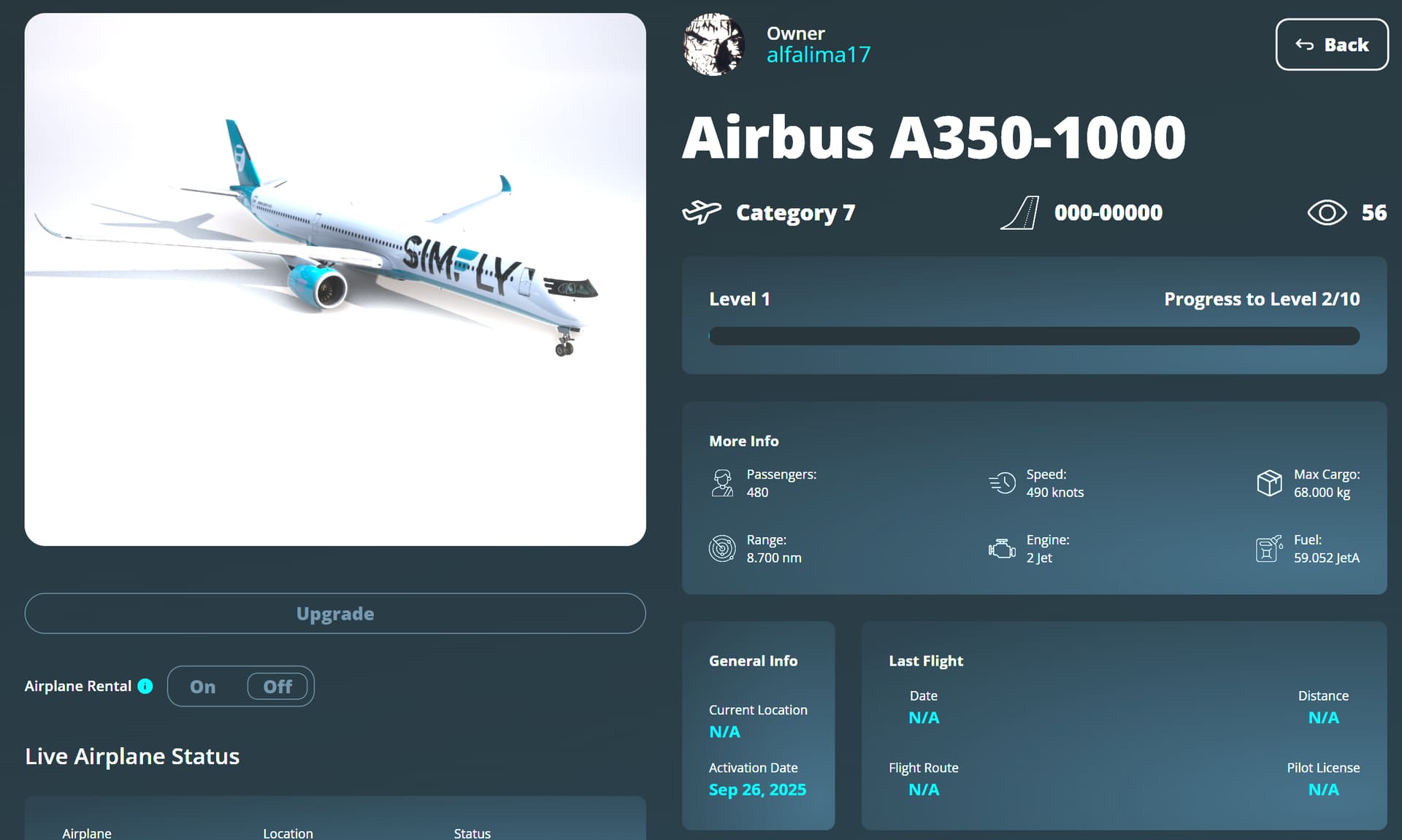
I can see everything correctly in the logbook, but then when I go into detail about each aircraft (AND ONLY FOR AIRCRAFT!), the relevant data is no longer there, as in the attached photos. However, if I search for planes (such as in rental missions) I find them active.Thank you.
2 Likes
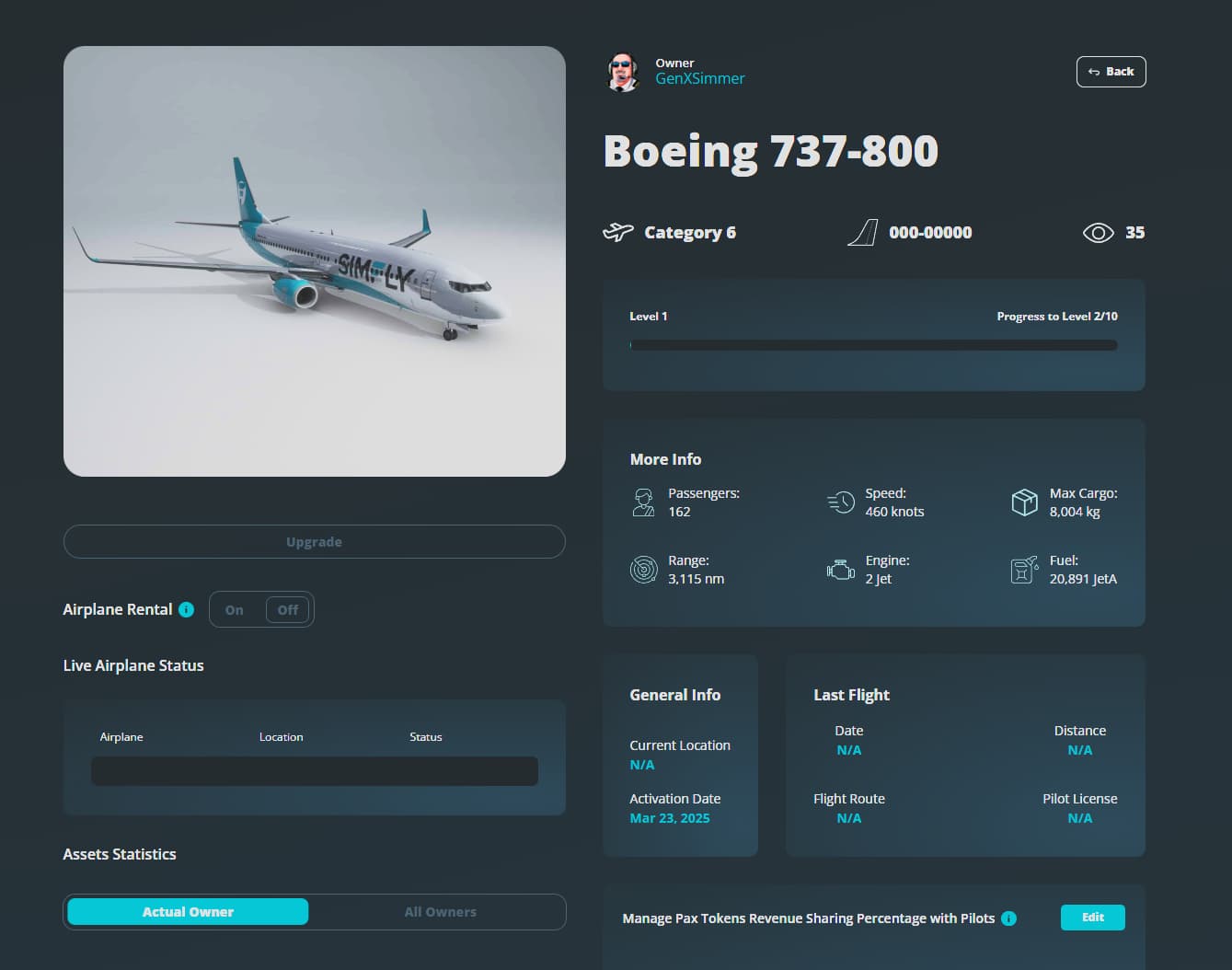
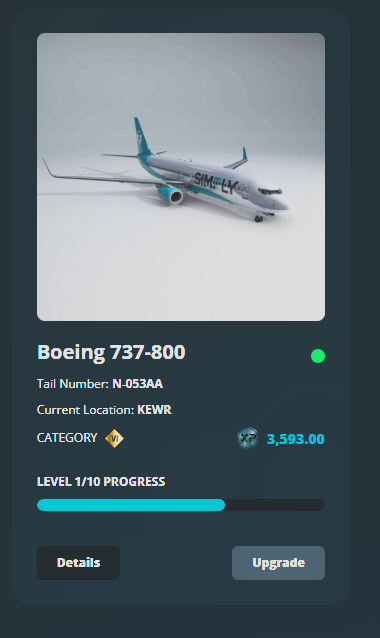
Perfect, thank you for the information. I’ve already forwarded everything to the development team and will update you as soon as the issue is identified and resolved, as quickly as possible.
If you notice any other anomalies, please let us know so we can analyze and fix them promptly.
I was also able to replicate the issue: in the asset details interface, aircraft appear as if they are no longer active and without a tail number.
This is only an interface issue. We made several important updates today to fix other problems, and it’s likely that something in those changes caused this bug affecting aircraft.
We’ll notify you as soon as the problem is resolved. Thank you again for your cooperation!
Ok, thanks… I hope I can make the milestone flight to/from EHAM in time.
1 Like
I’ll let you know as soon as it’s resolved.
1 Like
Greetings. After landing on a mission, I realize I have the exact same problem. I think it’s new; it hasn’t happened to me before, and it occurs with all my aircraft.
1 Like
Hi everyone,
I just wanted to let you know that the issue with the aircraft has been completely resolved. 
2 Likes
Yes, I confirm, problem solved! Thanks!
1 Like