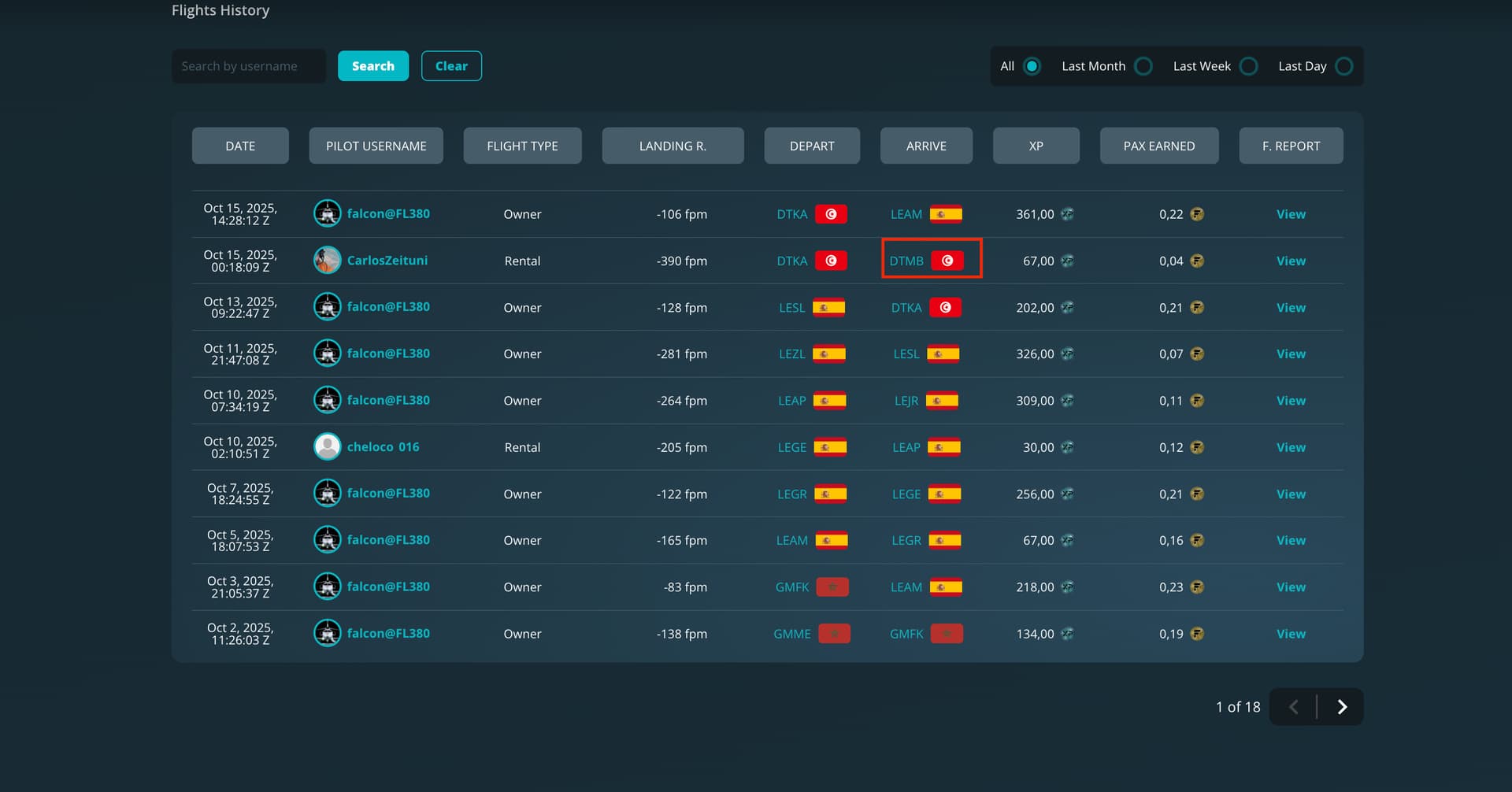
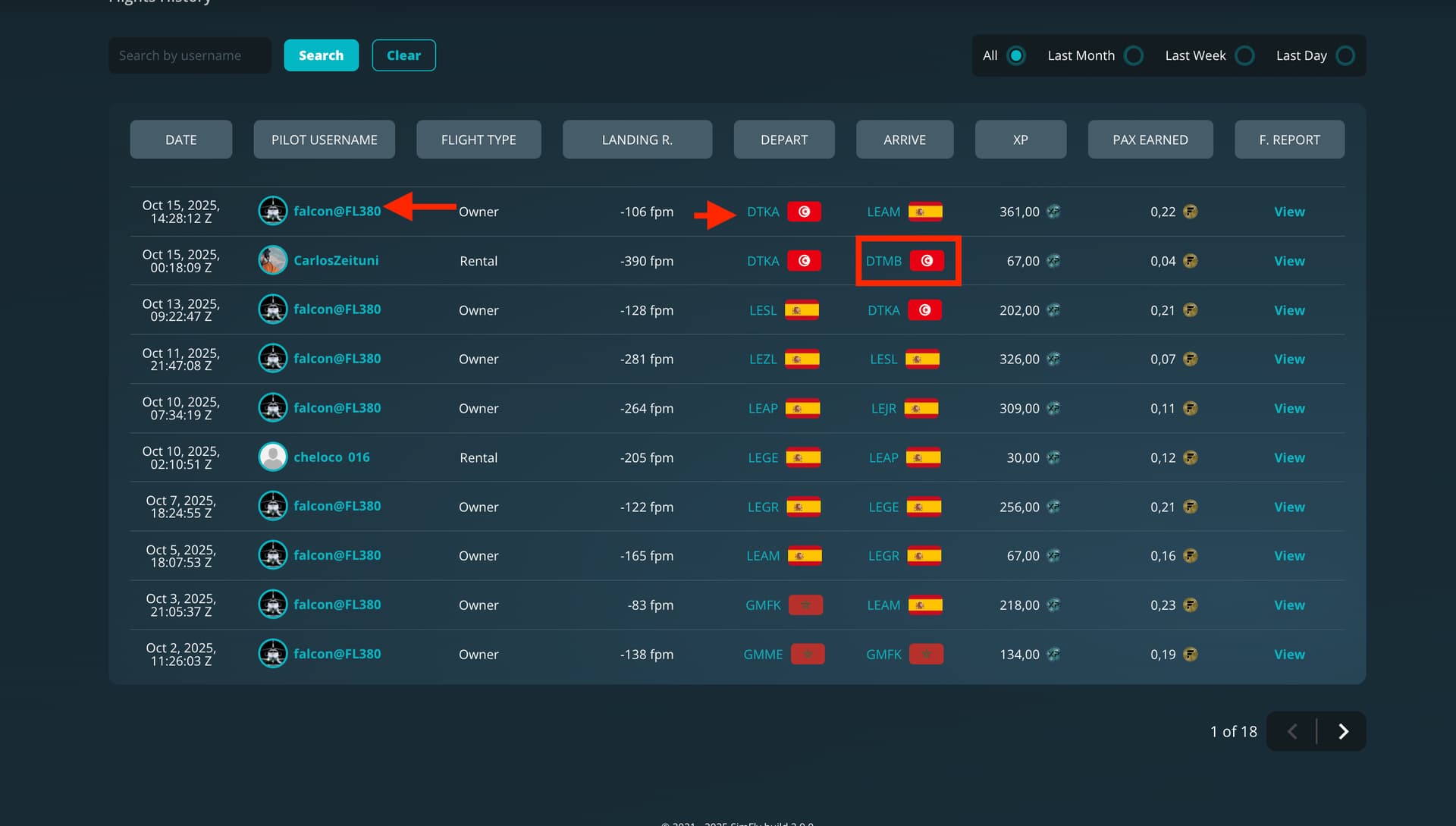
Hello. I was going to do my routine flight. I only have got 3 assets: 1 license, 1 airplane and 1 airport. I always flight using my license linked to my airplane, so I take-off from one airport where my license and airplane are placed together.
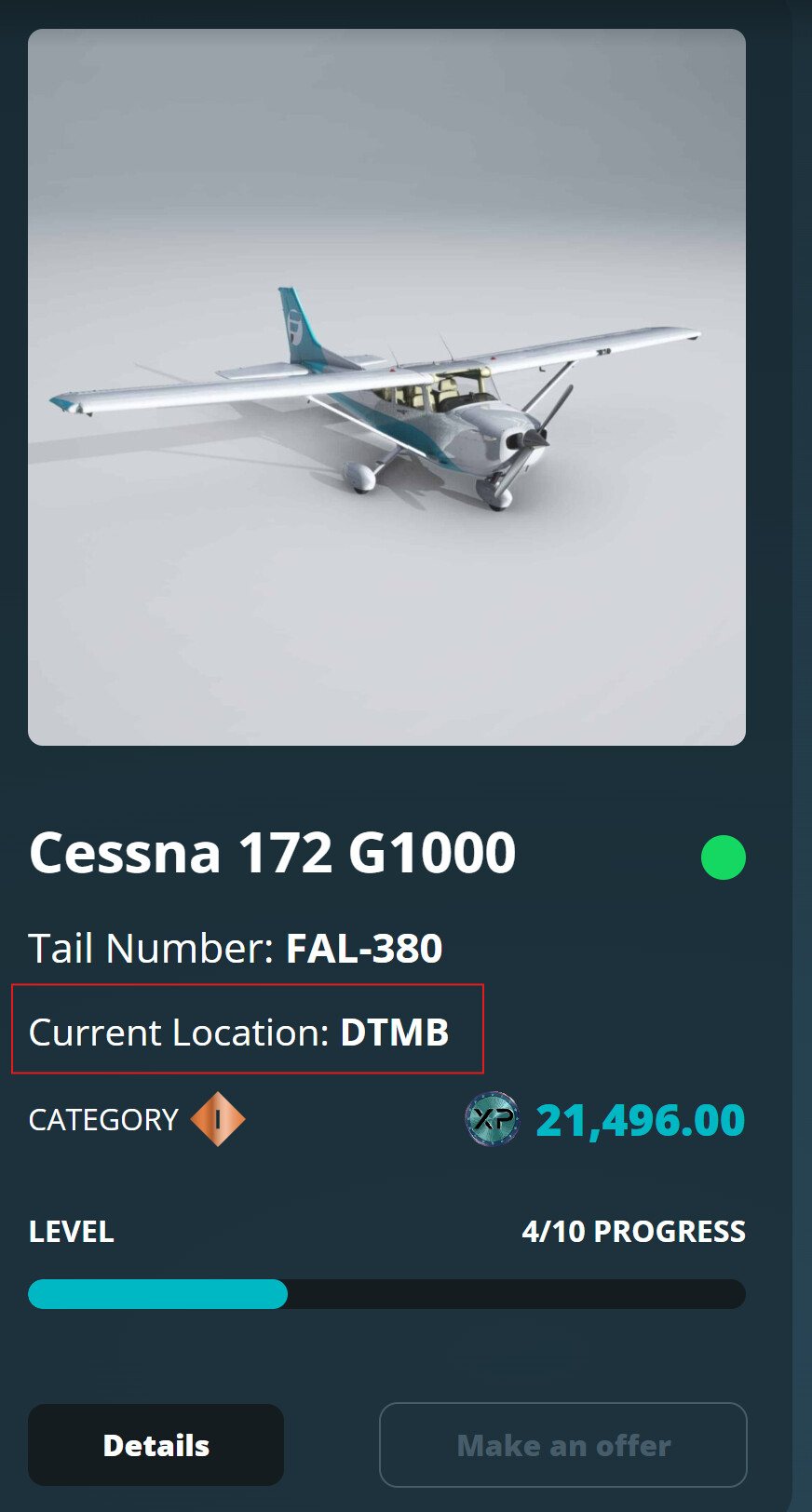
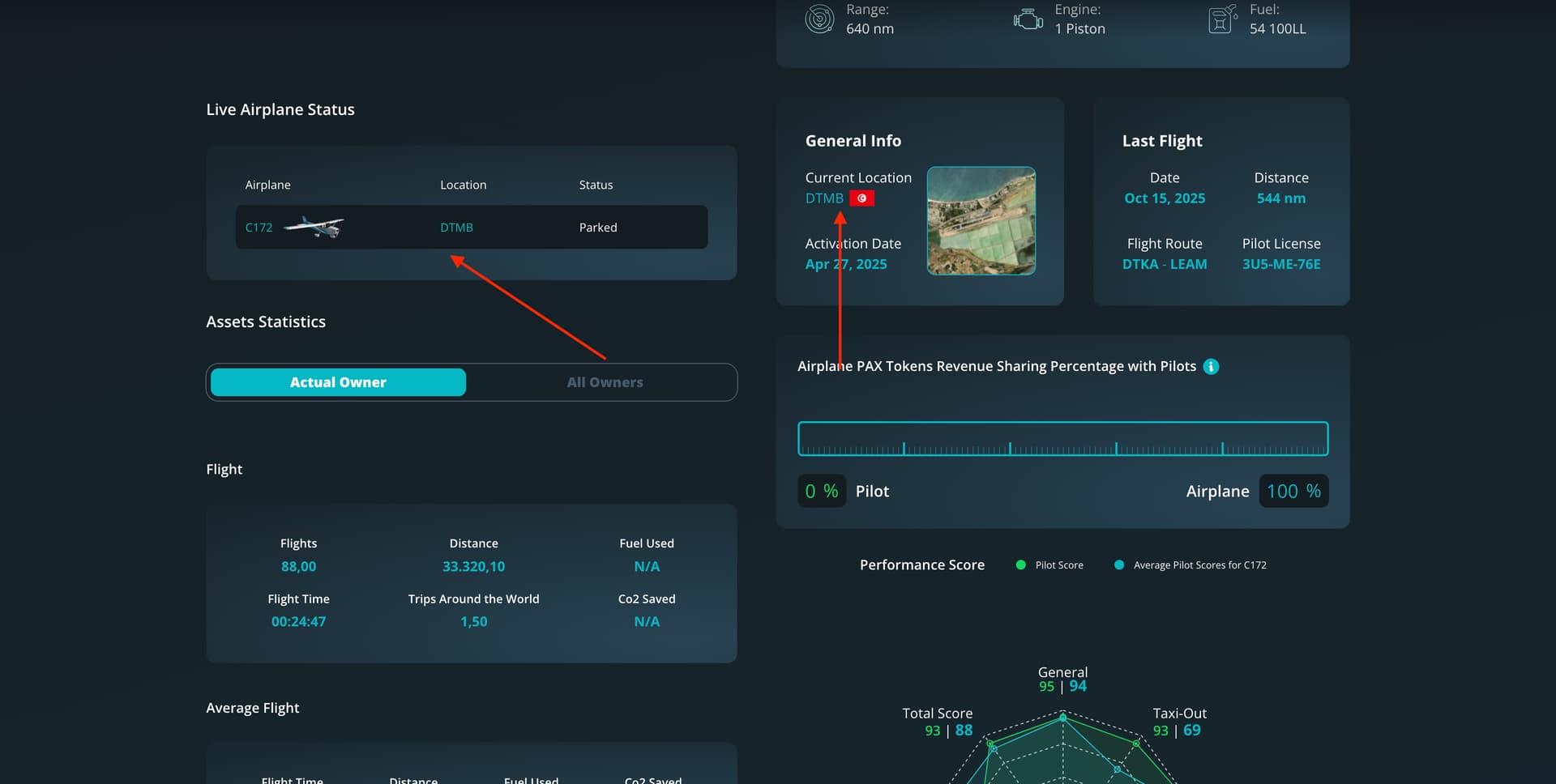
I was going today to start a flight from LEAM. I believed both (license and airplane) where there, because 2 days ago I landed there. And with that thinking, I moved my license to a very closed airport (LEGR). Ok. Then, I was going to move my airplane… and surprise! It was not in LEAM, but in DTMB.
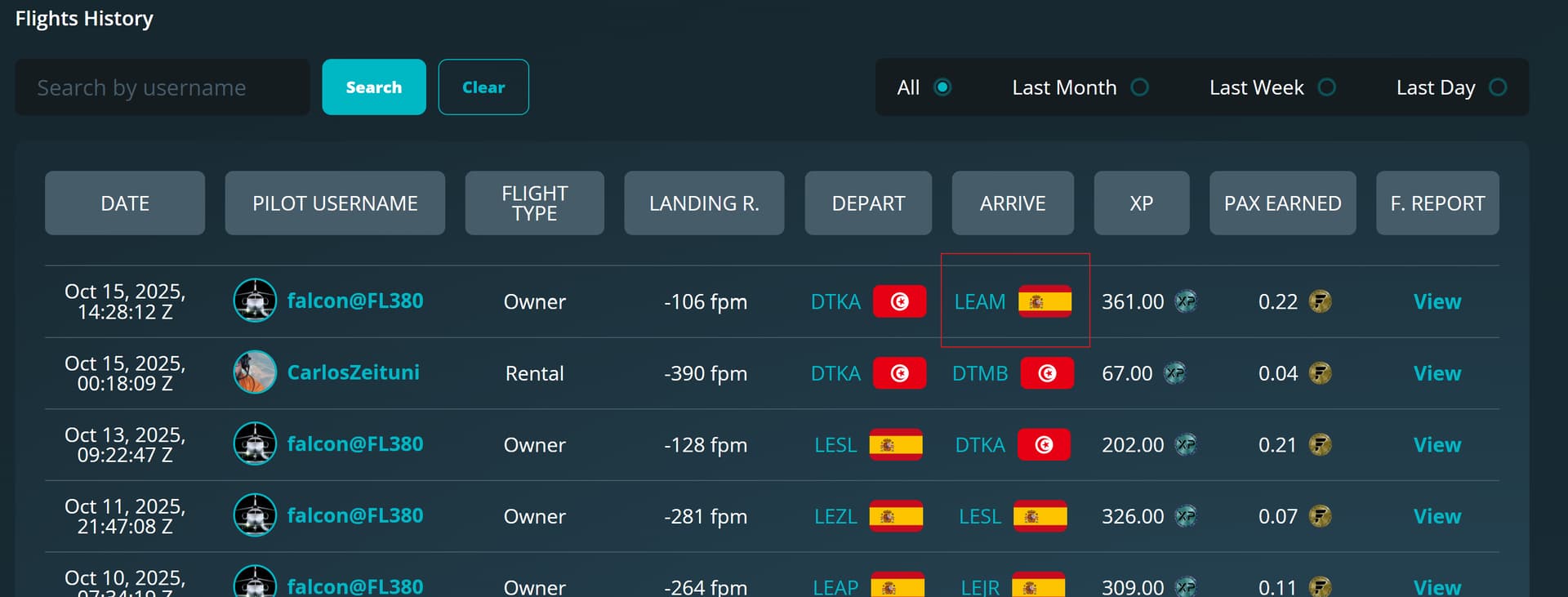
I don’t believe. But, ok, maybe someone took my plane…. but not. DTMB was the flight before the last I took. So… my plane was not in the last airport landed (LEAM), but in the previous.
You can see in these two images where my plane say to be (DTMB), and the last flights demonstrates that where should be parked (LEAM). So, I’ve lost the opportunity to flight from LEGR, and I am forced to use another airplane there. Not bad, because there was a Cessna for rental, but it is a bit annoying. Now I will have to return to pick up mi plane with my license.
If you can move please my airplane to the last (correct) airport landed, LEAM, I would appreciate.
No, sure. And very strange…. my last flight was to LEAM. That’s clear checking last flights.
And you can think: “Yes, but you chose another Cessna 172, not yours”
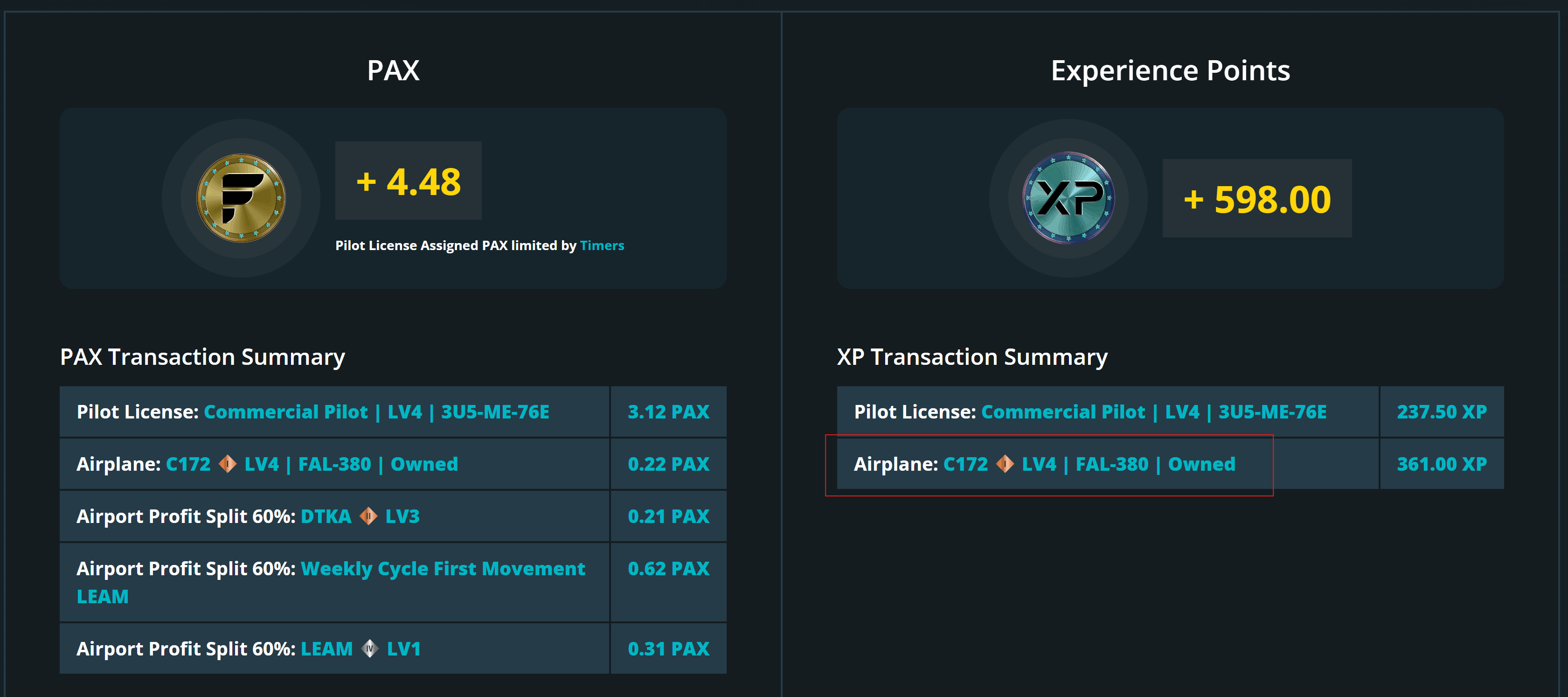
But that’s not true, because my last flight from DTKA to LEAM appear my own airplane, as you can see in the LOG of this flight:
Thanks, I really appreciate it!
I looked into it further and noticed that during your second-to-last mission, the airplane was rented and flown to DTMB — so that’s where it’s currently located.
Just a reminder: to move your airplane, you need to start your flight from DTMB, which is the airport where it’s actually parked. At the beginning of each mission, the system automatically detects your airplane’s current location and asks if you want to move it.
In your case, you started the flight from DTKA, and that’s why you didn’t see the airplane moved to LEAM.
So everything checks out — your airplane is currently at DTMB, and you’ll need to depart from there to move it again.
I can also suggest one hint. When I start a flight and I don’t have the usual question “to move your airplane and or license”, it means there’s something to check before to go on and double check. Remember that you can still fly and depart from any airport using your plane and license even if you are not departing from where the assets are, BUT your license and aircraft will not move. They will move ONLY if you depart from the actual location were they are. And also che if previously your aircraft was rented. Also remove rental option if you are intended to use it for your frequent flights.
Well… ok, not really sure to understand. But ok.
The strange thing is that I could start my flight, with my plane in DTKA. Actually… it was there parked!
But really, it was in DTMB…. I did not notice that
In “Unrestricted Flight” missions, you can use your airplane from any airport, but if you want to actually move it, you must take off from the airport where it’s currently located.
In your case, the second-to-last flight of your airplane was a “Airplane Rental” mission: the pilot who rented it departed from DTKA and landed at DTMB.
In “Airplane Rental” missions, the airplane automatically moves to the destination airport — so your airplane is now located at DTMB.
If you want to move it using an “Unrestricted Flight” mission, you must depart from DTMB, which is where your airplane is currently parked.
When the system asks “Do you want to move your airplane to the destination?”, it’s because it detected that you’re taking off from the correct airport.
So, when you said your airplane was at DTKA, that referred to before another user moved it to DTMB with a rental mission.
That’s why, after your last flight from DTKA to LEAM, the airplane didn’t move — because at that moment, it was already physically located at DTMB.