Greetings friends:
Some aircraft have issues with the lights:
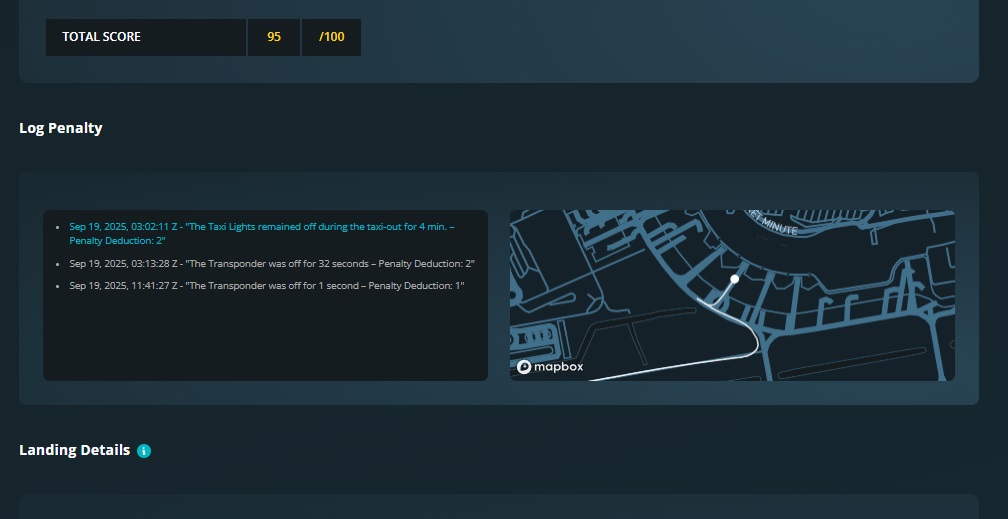
For example, the A35K displays this error “Taxi Light Off” before initiating pushback, this is in MSFS2020. In Xplane, pushback doesn’t start if you turn on the taxi lights; the pushback operator asks you to turn them off. It used to work fine, but now it displays this error. Taxis should not be turned on in any aircraft until the pushback is complete, but they should be turned on before taxiing.
On the other hand, there is also a TCAS light that I’ve never figured out how to fix. It displays another penalty of “Transponder Off,” when in reality it is operating correctly.
These are the reasons for the penalties that never allow a 100/100 on these aircraft.
If I’m the one making a mistake, please share your recommendation here so we can all fix it.
This thread could be used to report these types of errors, whether with lights or any other aircraft operation.
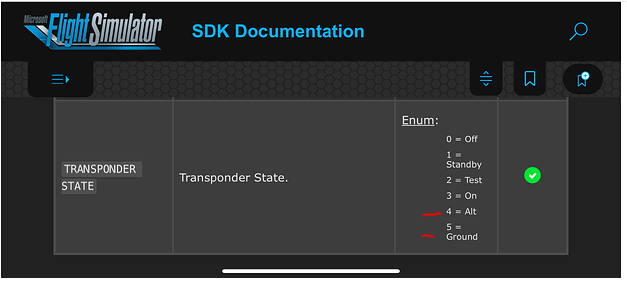
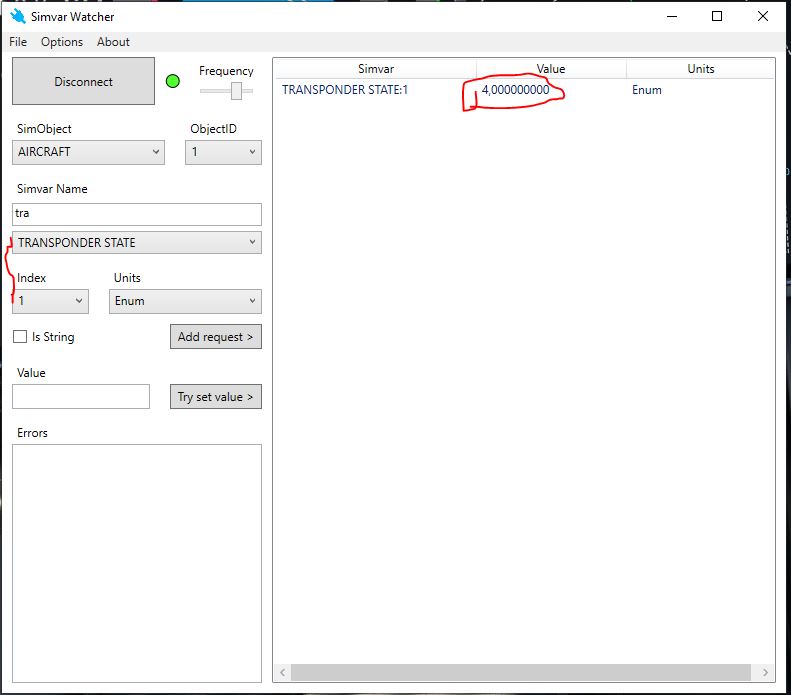
now perhaps what we need to know is that, the liners activate the ALT mode when on take off at least, and this may cause the penalty. I couldn’t confirm a simfly flight because I never used a liner like this one, from cold and dark in order to start a simfly mission, I started a flight on runway so it was already ON. and did the take off. while on runway in fact it gave me Value 5, on Ground , don’t know if this means it gives out info about Altitude while on ground (taxing, etc). So, if you have set it up as I have here from parking, and still gives out penalty, while simvar watcher says first value 5 than after take off (don’t know what altitude turn to value 4), then Simfly needs to do some changing on the penalties. they need to be activated after take off.
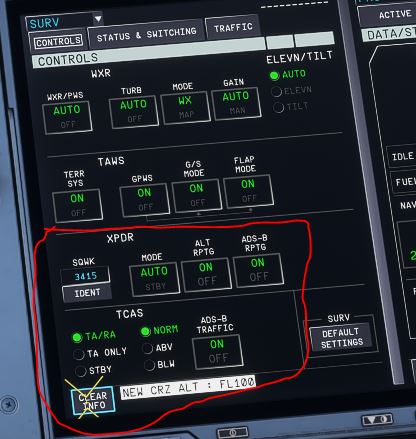
If you don’t want ti use the software, just tell me if your transponder settings are like in the picture from the parking area. If so, perhaps simfly needs to review the transponder rule penalty.
It’s exactly the same. I’ve even changed the code several times for testing, and SimFly recognizes it perfectly. There must be a simple error in the client’s reading.
well if you confirm the same settings I have, it means that on some aircraft, the MODE C, or ALT is turned ON after take off, that’s why there’s a penalty given, because the actual Simfly rule wants it ON from the parking area also while taxing. But in some airplane, the transponder is set automatically on “GROUND”, and after take off switches to “ALT”. So for now, simfly needs to find a new way or a new rule about transponder MODE C setting. Will keep you updated.