Hi, I don’t know what sector or category to put this topic in. OK, I’ll put it in the general category now. OK, the problem is this: when you go to the SimFly platform and click on an airplane on the map, the information I see is: pilot name, mission type, route from point A to point B, real-time flight time, aircraft altitude, pilot license type but without identification code, pilot aircraft type but without ICAO identification code… Well, if you go to flightradara, the first thing they show you about an airplane is the ICAO code, and I don’t see this on the SimFly map. Could you add the ICAO code of the airplane the pilot is using in the information tab? Thanks, I await your response.
Well, as you said, the icao ident of the aircraft is something important to see right away from a “radar” point of view. We are not air traffic controllers, we are pilots. It could be something to think about, but not in the imminent time I suppose.
Anyway if the airplane is owned by someone, if you click on the details you can see the icao identification airplane number
2 Likes
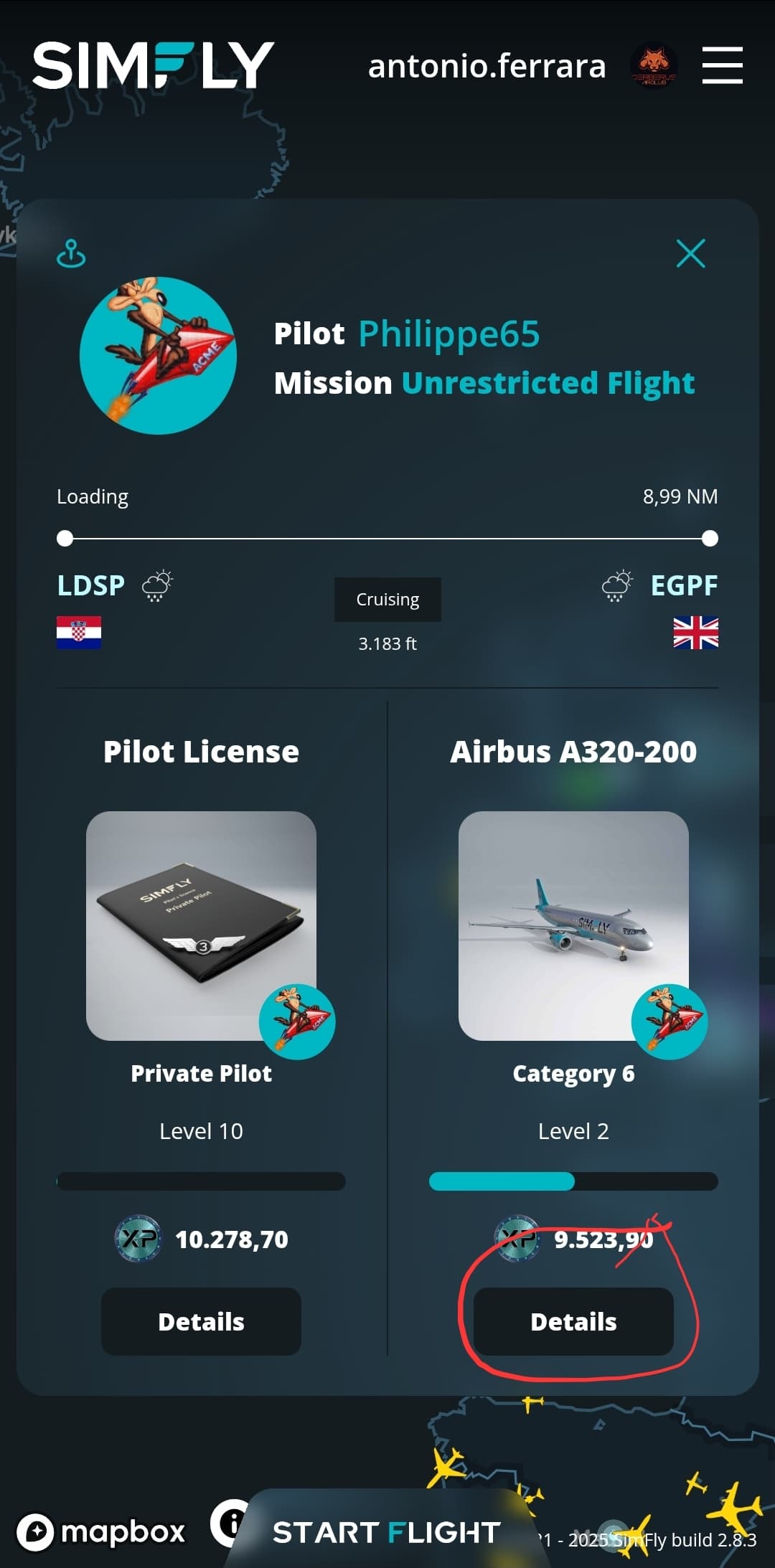
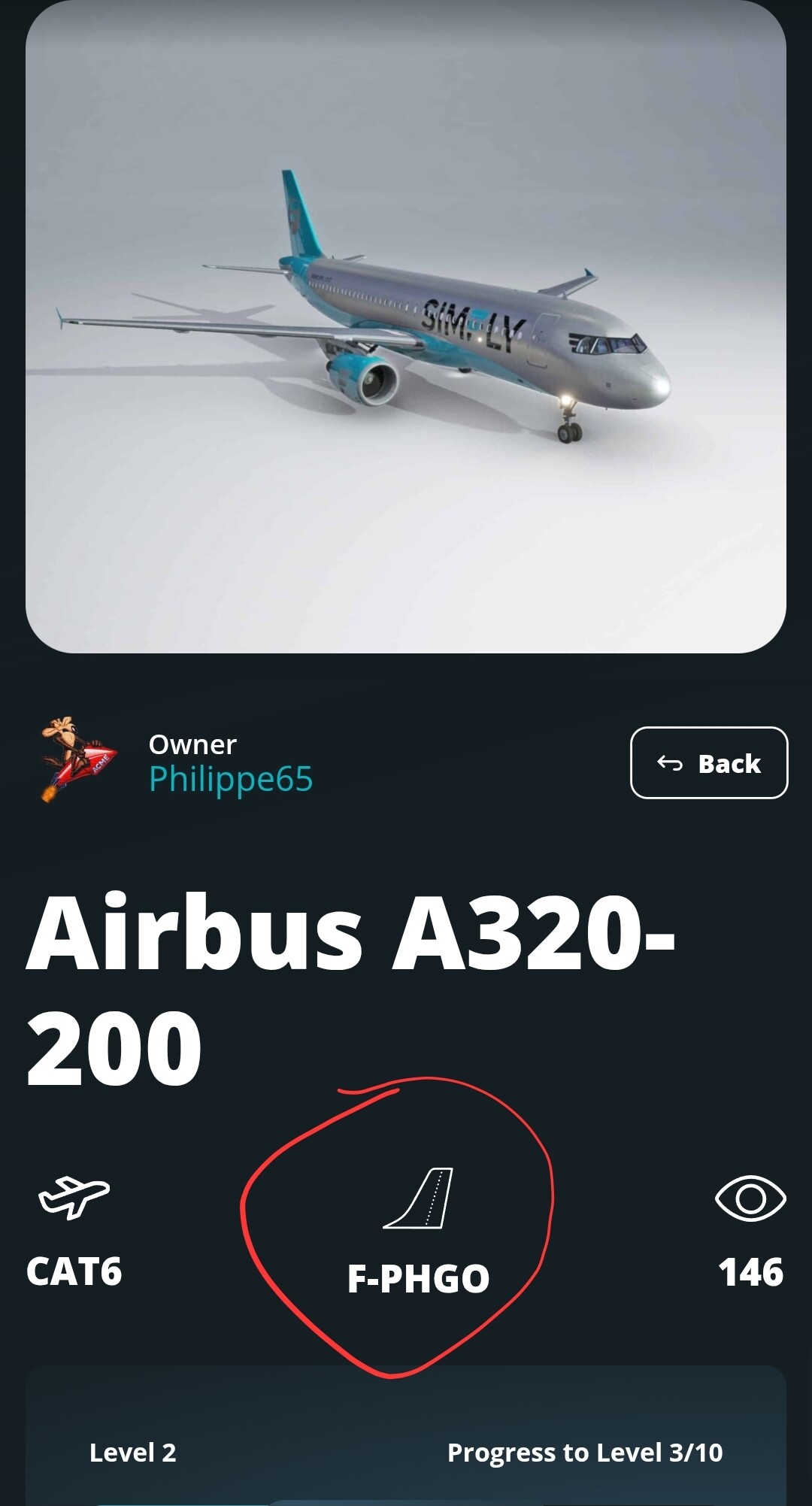
If I click on details as I see here in the photo it takes me directly to the marketplace window and gives me information about the plane but not the ICAO code of the plane that the pilot is using.
because that plane is not owned by nobody. If you read what I wrote, only if a plane is owned, the information is displayed. If you fly with an airplane not yours or not of nobody else, that plane has no ICAO code. I found out simply trying. try your self and you will understand the difference. While you fly and have time, just try, no one wil get hurt… 
1 Like
Yes, that’s true, thanks Atonio Ferrara. I hadn’t noticed this detail so just view the planes you own, perfect thanks for the information.
1 Like