As you guys can see is following the flight, but even on windowed on msfs, show as i open the menu that clearly i didnt

@gunslinger this happened to me once. Turns out my windows clock (time) was out of sync and it caused my missions to fail like that. My time was off like by 2 minutes.
Try to re-sync the time and try again.
1 Like
@Karim-CTO-SimFly has any progress been made on isolating this issue?
Just happened to me today.
- Normal flight with FlightFX Cessna Citation X - the aircraft I always use
- ENVA - EHLE

- Logfile:
2026-08-22T08:11:11.286Z [INF] [app] [app] SimFly client 1.3.1 (Release) starting on Microsoft Windows NT 10.0.26200.0, api=production, installCode=62125677
2026-08-22T08:11:17.221Z [INF] [XPlane] [XPlane] Binding to : 31001
2026-08-22T08:11:22.218Z [INF] [websocket] [websocket] Binding to : http://localhost:32500/
2026-08-22T08:11:22.929Z [INF] [api] [api] active api key prefix = b6b1…
2026-08-22T08:11:56.999Z [INF] [FS2024] [FS2024] Simconnect interface opened
2026-08-22T08:11:56.999Z [INF] [FS2024] [FS2024] connection state changed Opened
2026-08-22T08:11:57.001Z [INF] [connection] [connection] Disconnected → Broadcasting
2026-08-22T08:12:02.643Z [INF] [FS2024] [FS2024] connection state changed Closed
2026-08-22T08:12:02.643Z [INF] [connection] [connection] Broadcasting → Disconnected
2026-08-22T08:12:07.202Z [INF] [FS2024] [FS2024] Could not extract ICAO from livery ‘C750 Winglets - Livery 1’, leaving ICAO blank
2026-08-22T08:12:07.694Z [INF] [FS2024] [FS2024] Simconnect interface opened
2026-08-22T08:12:07.694Z [INF] [FS2024] [FS2024] connection state changed Opened
2026-08-22T08:12:07.694Z [INF] [connection] [connection] Disconnected → Broadcasting
2026-08-22T08:12:08.609Z [INF] [FS2024] [FS2024] Could not extract ICAO from livery ‘C750 Winglets - Livery 1’, leaving ICAO blank
2026-08-22T10:24:49.475Z [INF] [FS2024] [FS2024] Simconnect interface closed
2026-08-22T10:24:49.475Z [INF] [FS2024] [FS2024] connection state changed Closed
2026-08-22T10:24:49.476Z [INF] [connection] [connection] Broadcasting → Disconnected
Sorry @shill and @depe40 - it was a flight between your airports, but I get no credit due to the communication failure.
Also FYI - I provided Claude Code the SimFly client log from the failed/canceled flight and several successful flights and it found the client log structure to be identical with nothing in the log to distinguish them (or assist with troubleshooting).
Per Claude:
What that modal tells us
The cancellation is a server-side decision. The reason exists in SimFly’s records and nowhere on your PC — and your own control pair is what proves the client log can’t explain it.
The gap I can now name precisely
Across all five captured logs, the only line that carries a broadcast response code is the slow-round-trip warning:
[WRN] [broadcast] slow round-trip 3219 ms (code=Success, in_flight=1/4, ...)The client evidently tracks a per-broadcast response
code— but it only writes it down when the round-trip was slow. A non-Successresponse to a fast request is discarded silently.Which means: SimFly’s server could have been rejecting your position updates from five minutes in, and your log would look exactly as it does. That’s fully consistent with everything you saw — a healthy sim link for 2h12m, a clean shutdown, and a cancellation you only discovered on a web page.
This is a much sharper ask for @Karim-CTO-SimFly than the heartbeat I suggested before. Either of two one-line changes would have caught your flight:
- Log every non-
Successbroadcast response code, not just slow ones.- Log a periodic broadcast heartbeat —
sent N positions in the last 60s.The first is more targeted and probably cheaper. Both are trivial next to the diagnostic value.
The decisive action available right now
Ask SimFly support for the server-side cancellation reason for that specific mission. It’s from today, so their logs will still have it, and
installCode+ your landing time is enough for them to find it. The answer exists on their side and provably does not exist on yours — that’s the whole finding.
Attempted to fly the same exact flight - ENVA - EHLE - same result - mission canceled.
Mission type is aircraft rental for both flight attempts.
The website/map/tracking was fine 5 minutes before landing. After shutting down the engines - same “Your mission has been canceled!” dialog.
Logfile:
2026-08-22T08:11:11.286Z [INF] [app] [app] SimFly client 1.3.1 (Release) starting on Microsoft Windows NT 10.0.26200.0, api=production, installCode=62125677
2026-08-22T08:11:17.221Z [INF] [XPlane] [XPlane] Binding to : 31001
2026-08-22T08:11:22.218Z [INF] [websocket] [websocket] Binding to : http://localhost:32500/
2026-08-22T08:11:22.929Z [INF] [api] [api] active api key prefix = b6b1…
2026-08-22T08:11:56.999Z [INF] [FS2024] [FS2024] Simconnect interface opened
2026-08-22T08:11:56.999Z [INF] [FS2024] [FS2024] connection state changed Opened
2026-08-22T08:11:57.001Z [INF] [connection] [connection] Disconnected → Broadcasting
2026-08-22T08:12:02.643Z [INF] [FS2024] [FS2024] connection state changed Closed
2026-08-22T08:12:02.643Z [INF] [connection] [connection] Broadcasting → Disconnected
2026-08-22T08:12:07.202Z [INF] [FS2024] [FS2024] Could not extract ICAO from livery ‘C750 Winglets - Livery 1’, leaving ICAO blank
2026-08-22T08:12:07.694Z [INF] [FS2024] [FS2024] Simconnect interface opened
2026-08-22T08:12:07.694Z [INF] [FS2024] [FS2024] connection state changed Opened
2026-08-22T08:12:07.694Z [INF] [connection] [connection] Disconnected → Broadcasting
2026-08-22T08:12:08.609Z [INF] [FS2024] [FS2024] Could not extract ICAO from livery ‘C750 Winglets - Livery 1’, leaving ICAO blank
2026-08-22T10:24:49.475Z [INF] [FS2024] [FS2024] Simconnect interface closed
2026-08-22T10:24:49.475Z [INF] [FS2024] [FS2024] connection state changed Closed
2026-08-22T10:24:49.476Z [INF] [connection] [connection] Broadcasting → Disconnected
################## NEW ENTRIES BELOW ########################
2026-08-22T11:08:57.013Z [INF] [app] [app] SimFly client 1.3.1 (Release) starting on Microsoft Windows NT 10.0.26200.0, api=production, installCode=62125677
2026-08-22T11:09:03.075Z [INF] [XPlane] [XPlane] Binding to : 31001
2026-08-22T11:09:08.062Z [INF] [websocket] [websocket] Binding to : http://localhost:32500/
2026-08-22T11:09:08.765Z [INF] [api] [api] active api key prefix = b6b1…
2026-08-22T11:09:40.010Z [INF] [FS2024] [FS2024] Simconnect interface opened
2026-08-22T11:09:40.011Z [INF] [FS2024] [FS2024] connection state changed Opened
2026-08-22T11:09:40.013Z [INF] [connection] [connection] Disconnected → Broadcasting
2026-08-22T11:09:45.682Z [INF] [FS2024] [FS2024] connection state changed Closed
2026-08-22T11:09:45.682Z [INF] [connection] [connection] Broadcasting → Disconnected
2026-08-22T11:09:49.804Z [INF] [FS2024] [FS2024] Could not extract ICAO from livery ‘C750 Winglets - Livery 1’, leaving ICAO blank
2026-08-22T11:09:50.754Z [INF] [FS2024] [FS2024] Simconnect interface opened
2026-08-22T11:09:50.754Z [INF] [FS2024] [FS2024] connection state changed Opened
2026-08-22T11:09:50.755Z [INF] [connection] [connection] Disconnected → Broadcasting
2026-08-22T11:09:51.668Z [INF] [FS2024] [FS2024] Could not extract ICAO from livery ‘C750 Winglets - Livery 1’, leaving ICAO blank
Both of my flights were the Aircraft Rental mission. I wonder what the frequency of this issue is for Unrestricted Flight versus Aircraft Rental.
1 Like
Curious if anyone else is receiving “Your mission has been canceled!”.
If so, is it occurring while airborne or after landing/engine shutdown? Also was it Unrestricted Flight mission or Aircraft rental.
I have successfully reproduced this error on two successive flights, now trying to eliminate variables.
1 Like
For me is on rental as well. Sometimes middle flight, other time on taxi to gate… but same kind of issue and with similar distance code error as yours. So yes i think you found the issue, is some gcode from simfly that is randomly giving this mission cancelled.
Ladies and Gentlemen:
We now have a 100% reproduction rate.
3 x Airplane Rental missions between ENVA and EHLE = 3 failed missions.
2 x failures (with Flightsim.to EHLE add-on scenery) = “Your mission has been canceled!” after engine shutdown. Flight was tracked properly the whole way.
1 x failure (with EHLE add on scenery by Papa Hotel) = “Mission Aborted - Touchdown occurred outside Airport Sorry, your mission is going to be canceled.”
This third error is absolutely 100% false - I landed on runway 05 about 500 ft past the touchdown markers. Do note this airport has an elevation of -12 ft (12 feet below sea level) - not sure if that is a factor.
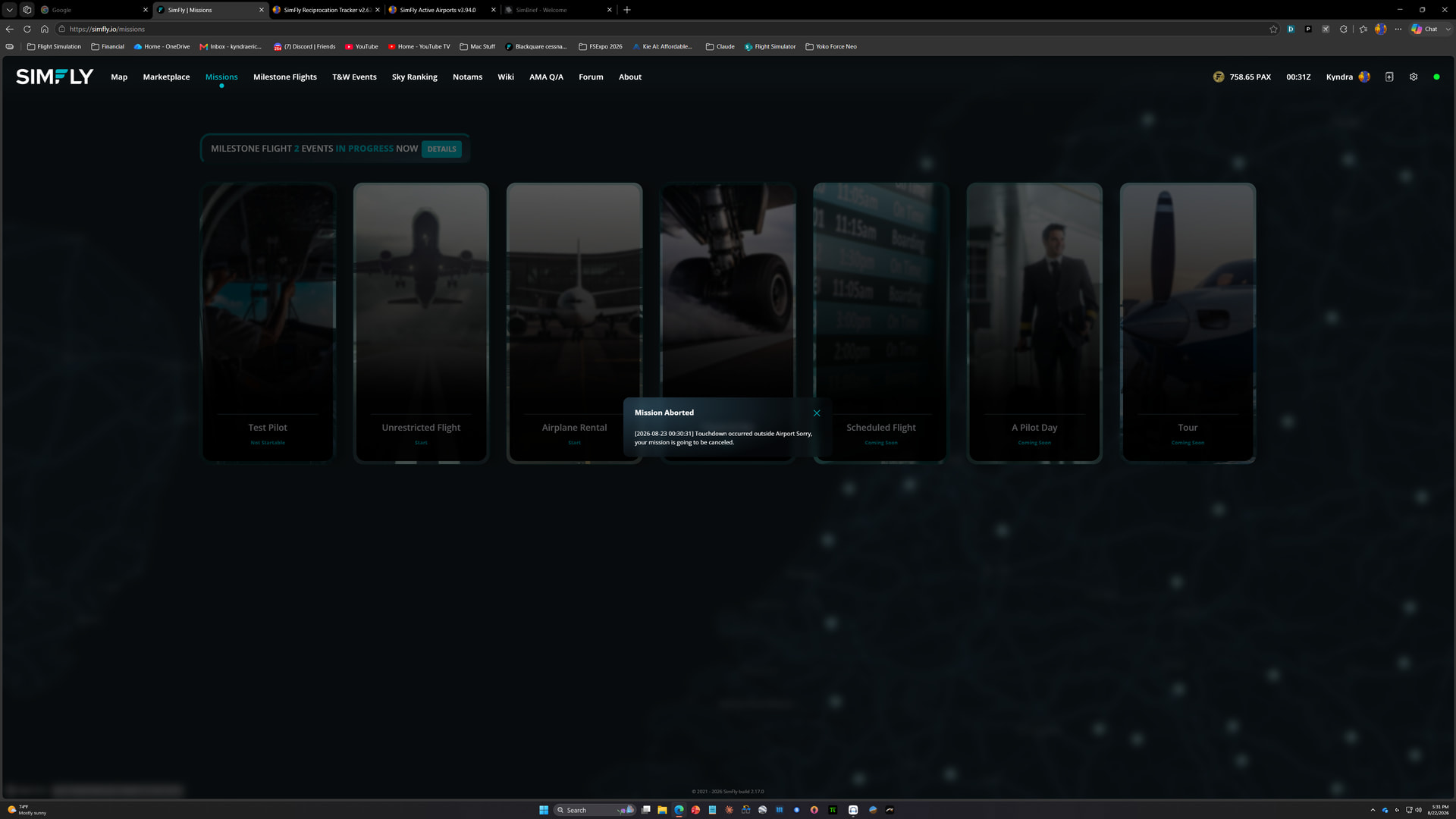
I can confirm the mission was being tracked just fine on the SimFly map 60 seconds before touchdown.
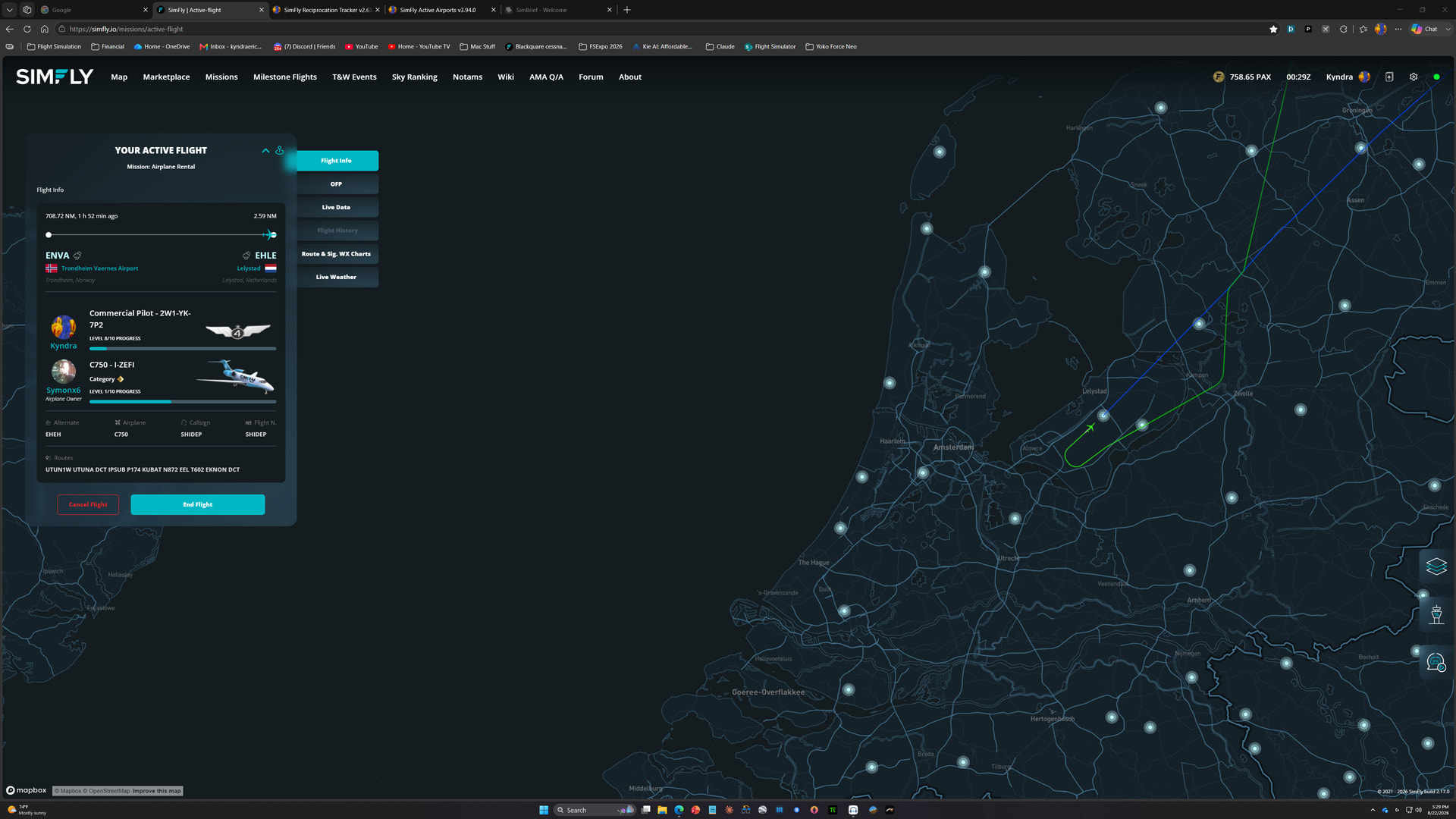
ATTN: @Karim-CTO-SimFly
2 Likes
Just successfully completed a flight in the opposite direction.
Unrestricted flight mission - EHLE - ENVA. So either landing at EHLE (and possibly other airports), Aircraft Rental mission, the specific license, specific aircraft, or a combination seems to be the culprit.
ATTN: @Karim-CTO-SimFly
That proves ENVA is real Viking experience as it should - fly TO Trondheim now 
Thanks 
But on serious note - I think i made 150 flight out of ENVA on rental planes and it never happened to me. It must not be location but somethink specific server side.
Also i dont think its scenery - what they do in simfly - nothing - border lines for runway boundaries are set irrespective of scenery (fixed in simfly system).
Hi Kyndra,
thank you for reporting this issue. We found the cause: the configured detection area for EHLE was incorrect and covered only about half of the airport. We have now corrected it.
Please try the mission again. The landing should now be detected correctly, including when using the add-on scenery.
Reports like this are very important. If SimFly reports “Touchdown occurred outside Airport” even though you actually landed within the airport, please let us know so we can check and correct that airport immediately.
Thank you again for your help!
1 Like
Today again same error. another mission cancelled
LFRS to ENAL
Just on simfly got this again.
others third party keep working fine.
But I saw that on app simfly is working fine as well so idk what is the issue here
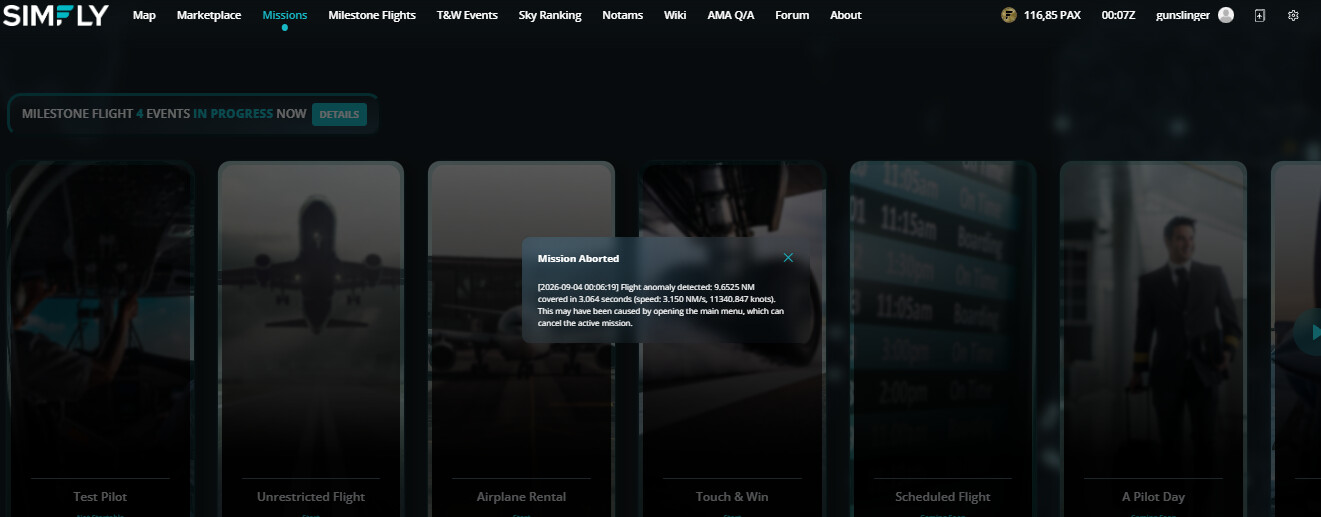
Another Trial LFSRS to EDDE
Same A20N as before.
But on this case i noticed that in the same time of Mission Cancelled/aborted gave few sec a white screen than back normal(in this time, so i guess the notification bugged my screen on msfs) but i havent notice any changes on others thirds app(volanta, vatsim or in msfs it self.)
Its getting hard to fly on simfly…
And when i can fly with simfly the landing score goes wrong again on airbus.
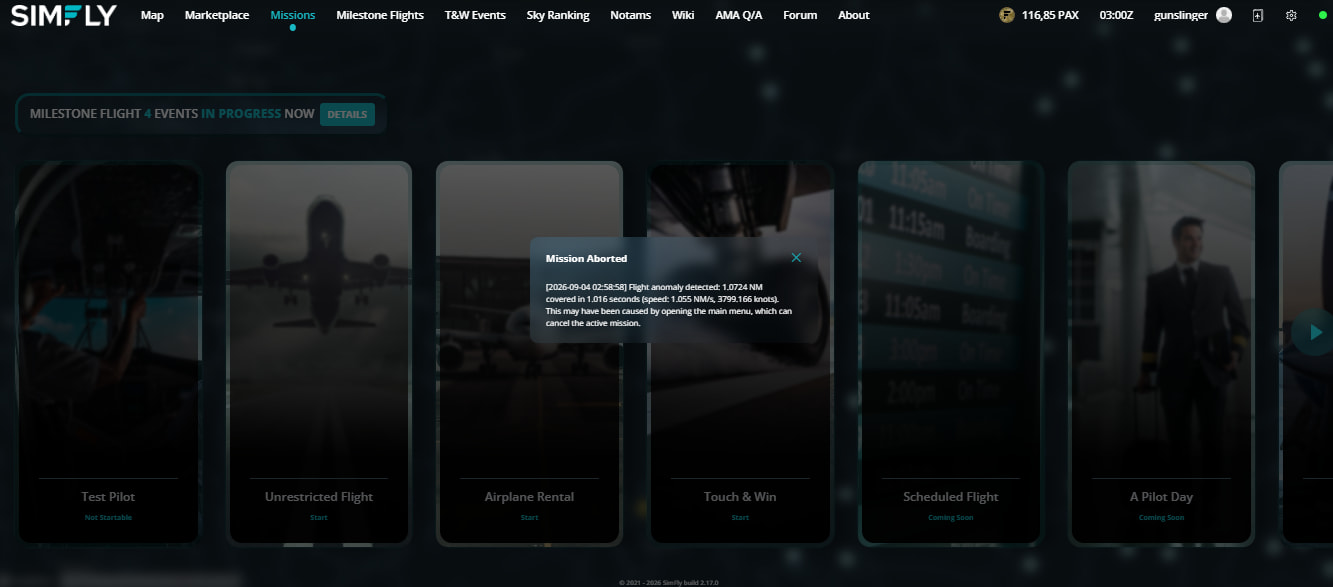
6 hours flying today lost on simfly…
I 100% understand your frustration and it is justified.
Until SimFly is able to fix this error, you might want to try something else as your primary career mode and just run SimFly in the background so you’re earning PAX on occasion (when missions complete successfully).
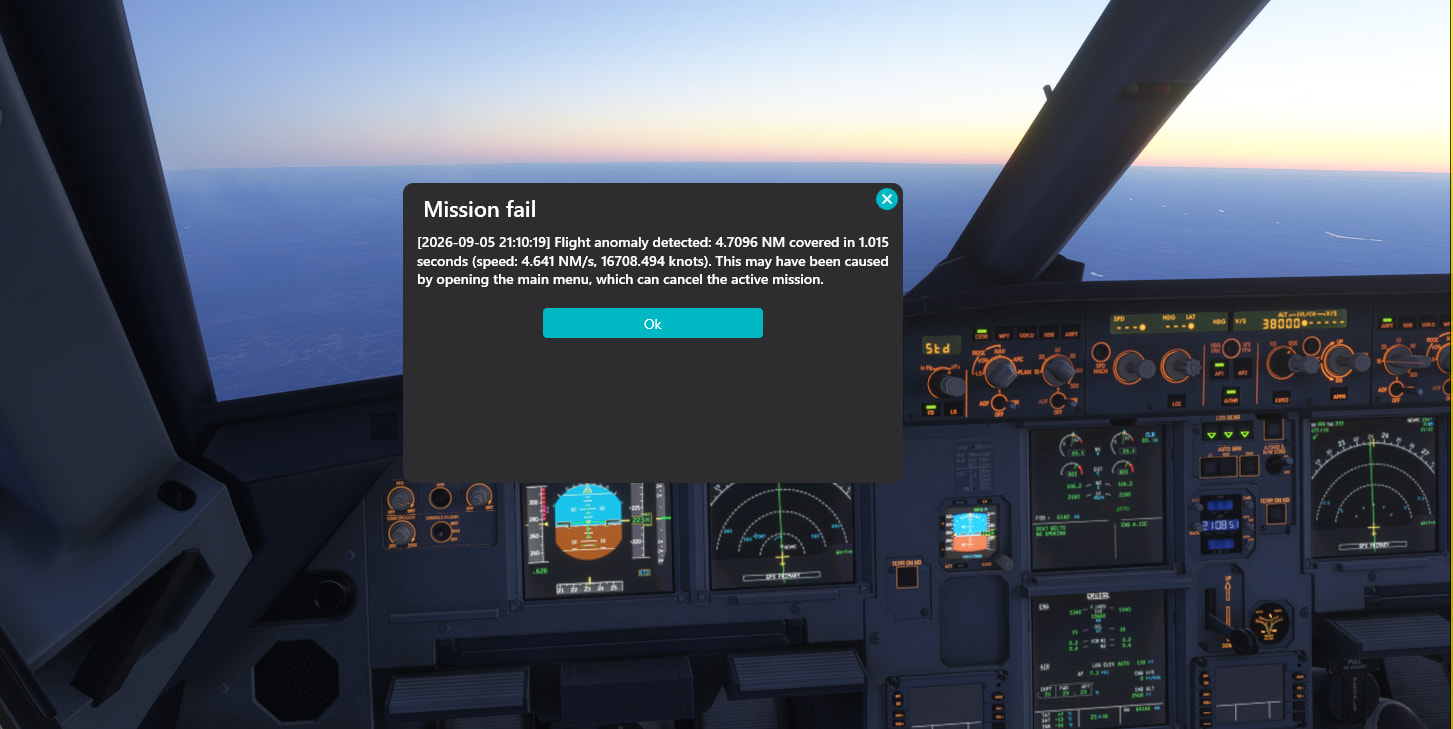
Yes i understand Kyndra. but that is pax lost. if each flight we have this issue until fix this error. its time lost, plan lost, investment lost. and no pax refound?
@gunslinger Have you tried to completely remove and reinstall the client again? (Sorry If this repeats in case you did it). Recently, I found a strange detection with one of the player, that suddenly, every landing FPM was detected as 0 FPM. The rest of value is fine, and happened with every aircraft (XPlane 12).
A second time of reinstalling the client fixed it. We still have no idea how this happened (even reinstall once) and resolved by itself. You can try, it might worth to test.
not only a re-install, but removing first the “simfly client folder”:
While staff investigates the possibile cause, I would anyway re-install the simfly client from scratch
(deleting the folder just in case)
delete the simfly folder from
C:\Users\user\AppData\Local\SimFlyClient\
re install the latest client
1 Like