Want to help test the client for macOS? Let us know here, and we will send you client and instructions on how to use it!
Hi Roberto, if you need, i have a macOS and i’m available for the testing activity 
2 Likes
Hi, I’d like to test it too.
2 Likes
Hola desde España, soy usuario de Mac y me gustaría probarlo!!
2 Likes
Hi! I’d love to test it too! Thank you!
2 Likes
Check the step by step instructions here: macOS client: the instructions
1 Like
@gdemartino @Cushat @Cram100 @dancouts new macOS client version is ready!! Test it, you can get it here: https://simfly.io/c/SimFly_macOS_Client_Beta_V2.zip (follow the original instructions)
thanks @capodieci , I’ll try in this week and get back to you with the feedback.
2 Likes
The last version had issues to connect to the server, new version uploaded:
https://simfly.io/c/SimFly_macOS_Client_Beta_V3.zip
Hi,
Estoy probando el macOS client y he detectado un pequeño bug . En Flight Data indica la altitud en pies pero realmente está expresando el valor en metros. Estoy volando a FL380 y el dato que aparece es de 11500 ft.
Otra cosa, es que me reconoce el avión cuando conecto, pero cuando inicio el vuelo en la descripción del avión utilizado indica que no está en la base de datos de Simfly. Qué hago mal?
Gracias y saludos
Sorry, I forgot to translate:
I’m testing the macOS client and I’ve detected a small bug. In Flight Data it indicates the altitude in feet but it is really expressing the value in meters. I’m flying to FL380 and the data that appears is 11500 ft.
Another thing is that it recognizes the plane when I connect, but when I start the flight in the description of the plane used it indicates that it is not in the Simfly database. What am I doing wrong?
Thank you and greetings
1 Like
Hi,
I have also observed more bugs in the flight report.
Specifically in Flight Score it penalizes all items in Taxi Out and Taxi IN, and in general in all items in which the lights intervene.
On the other hand, the Landing Rate is absolutely false (-5 fpm) and therefore the Landing Score.
Since I can only fly on Mac, I don’t know if they are plugin failures or they are general failures, I don’t see more information.
Anyone can review all that?
Thx
1 Like
Hi, thanks for your detailed feedback.
Actually, the Landing Rate issue was already fixed some time ago — the version you’re using is an outdated Mac client.
Tomorrow we’ll release version 0.0.10, which includes bug fixes and other improvements.
I’d kindly ask you to test it once it’s available. I’ll let you know as soon as it’s released.
Thanks for your cooperation! 
1 Like
Hello Karim! It would be awesome if you could same the algorithm you use to the landing rate.
FYI: landing fase is the period of time since aircraft is at 50ft, typically at threshold position, until it stops. (depending on aircraft class, but lets take 50ft for simplicity) So, in my opinion algorithm should consider only last 50ft until weight on main wheels.
Hi, here you’ll find the new version 0.0.10
Hi Pablo, try this new version 0.0.10, which has fixed several issues related to the landing rate. If you still notice anything unusual, we’ll look into sharing the algorithm that calculates the landing rate so we can also get your feedback on it
Thansk for you feedabck 
2 Likes
I just downloaded and tested the new client and I can’t get it to connect. I have generated a new API Key but the connection is not successful…
I have reinstalled version 0.7 and it connects well.

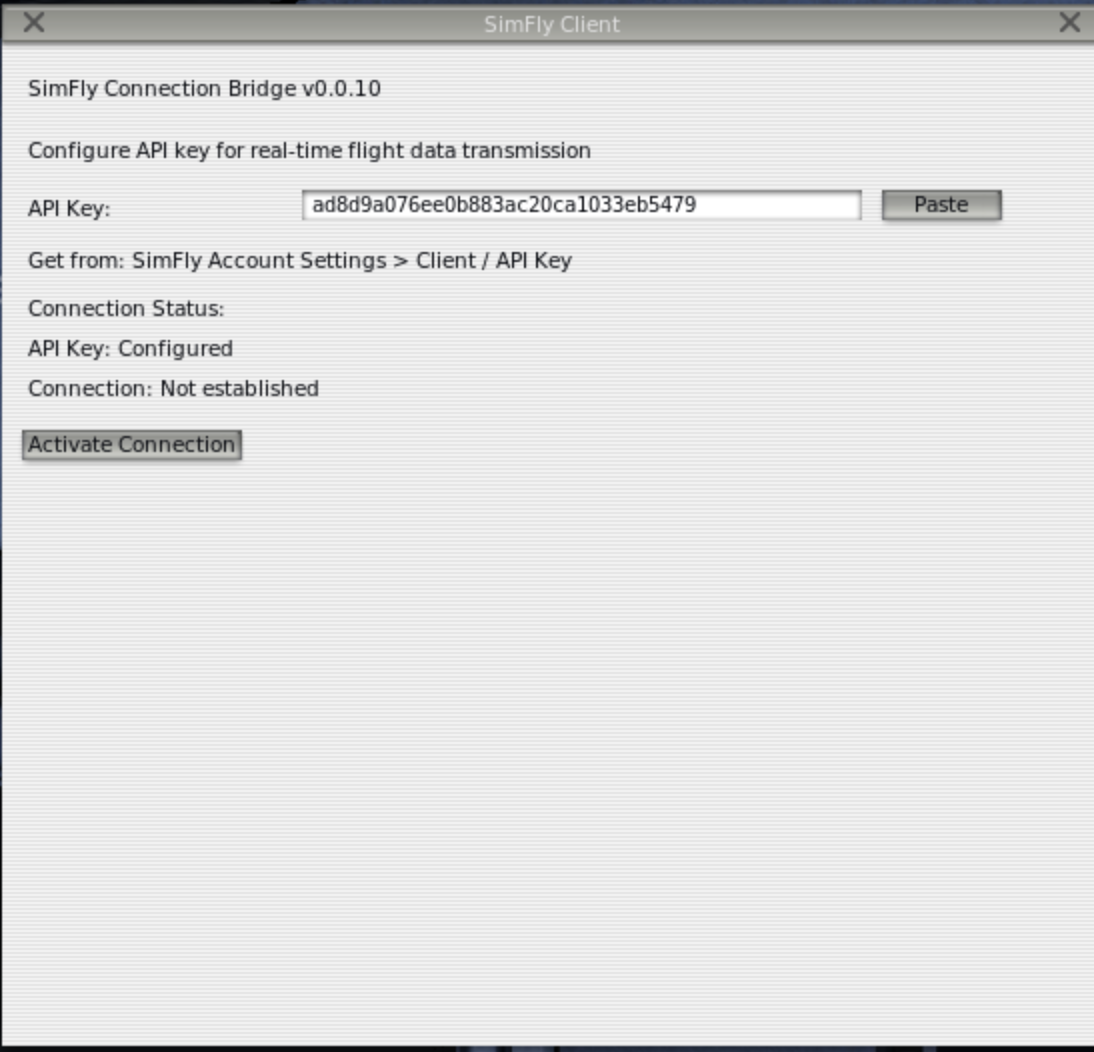
Thank you for the report, we’ll check and get back to you.
Hi, the new 0.0.12 version of the client is now available. You can download it here:
 https://forum.simfly.io/t/macos-client-the-instructions-version-0-0-12/11337
Any feedback will be greatly appreciated, thank you!